Axxess Hospice now enables users to track productivity by assigning productivity points to tasks and visits. Assigned points are consolidated in the new Productivity Report, providing valuable insights into provider performance and productivity trends. By enabling users to monitor and evaluate productivity, this enhancement streamlines operations.
To add productivity points to visits and tasks, navigate to Company Setup under the Admin tab and select the Scheduling tab. Once on the screen, navigate to the Schedule Task List and locate the Productivity List column.
Admin tab ➜ Company Setup ➜ Scheduling ➜ Schedule Task List ➜ Productivity List
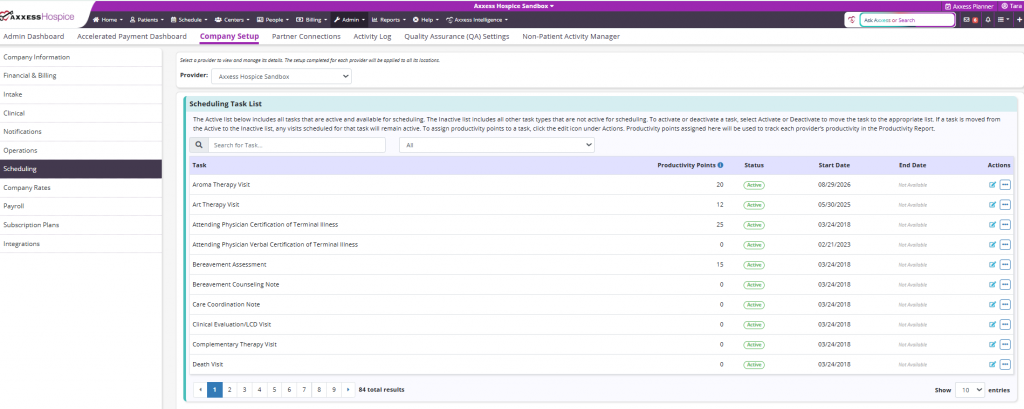
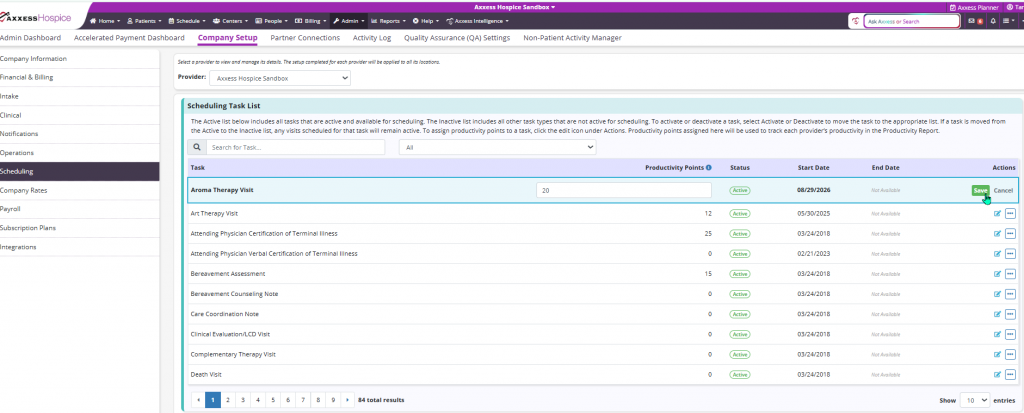
To assign a productivity point, navigate to the Actions column and select the edit icon. Once selected, a text field will display and the desired productivity value can be entered. This feature provides the flexibility for provider organizations to assign productivity points according to their own operational needs. For example, a Care Coordination note may be worth one point for one organization and three points for another. Select Save to complete the changes.
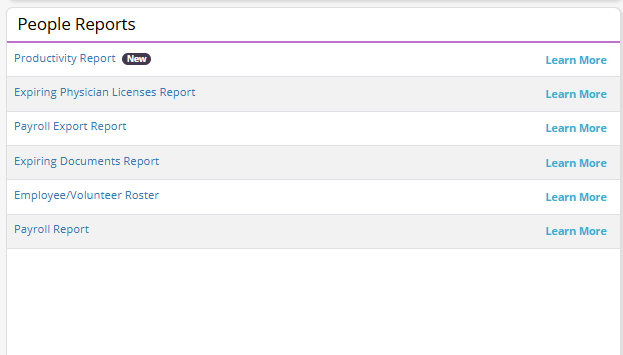
Once all productivity points have been assigned, users can leverage the Productivity Report. To access the report, navigate to the Report Center under the Reports tab. In the People Reports section, select Productivity Report.
Reports tab ➜ Report Center ➜ People Reports ➜ Productivity Report
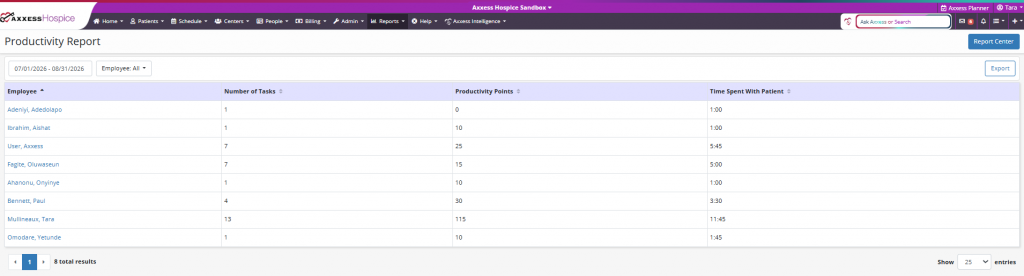
The report can be sorted by date range and user name. Columns on the report display the user’s name, number of tasks completed, productivity points, and time spent with patient. To export the report, select the Export button at the top of the screen.
Updated on 9/09/2026