Axxess Hospice now provides claim holds tied to each individual HOPE record and its status. This enhancement promotes regulatory compliance by giving users claim‑level visibility when HOPE records have not yet been exported or accepted into iQIES, helping ensure timely and accurate submission of all required records.
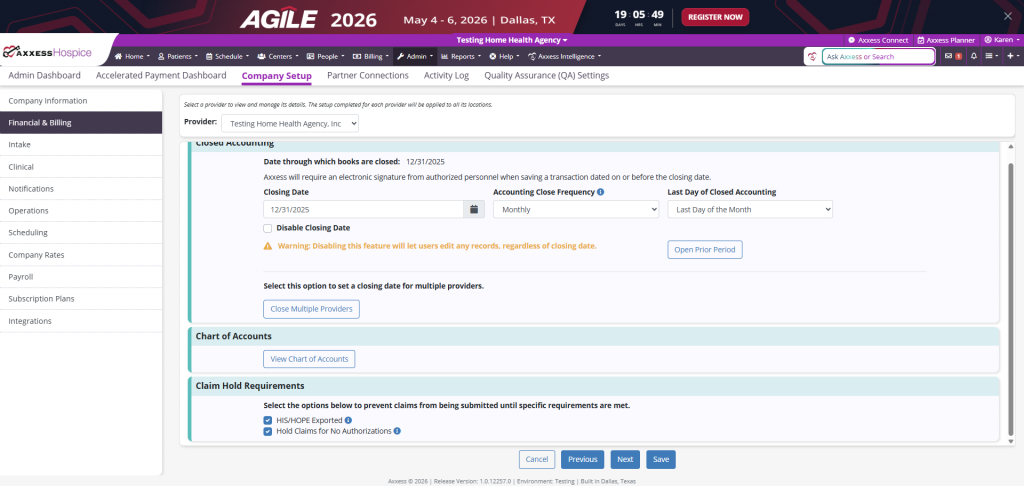
To enable claim holds, navigate to Company Setup and select the Financial & Billing tab. In the Claim Hold Requirements section, select the checkbox next to HIS/HOPE Exported.
Company Setup ➜ Financial & Billing tab ➜ Claim Holds Requirements
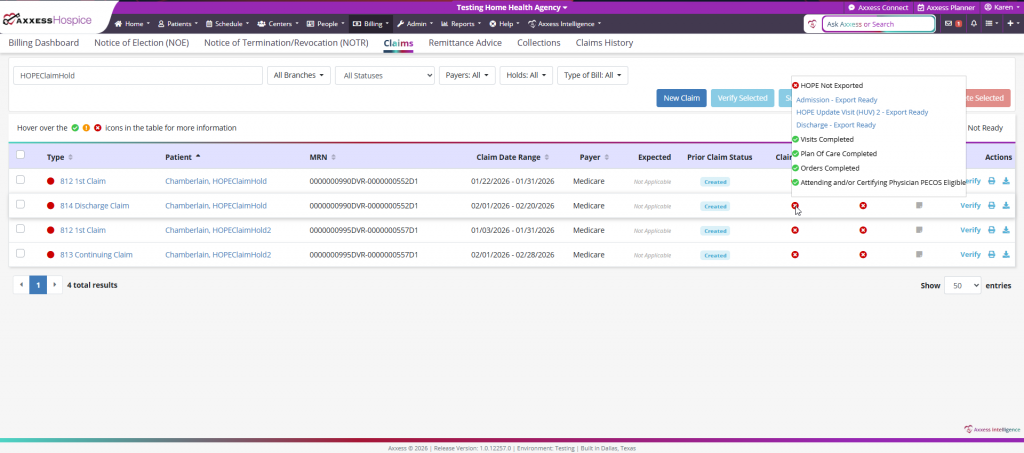
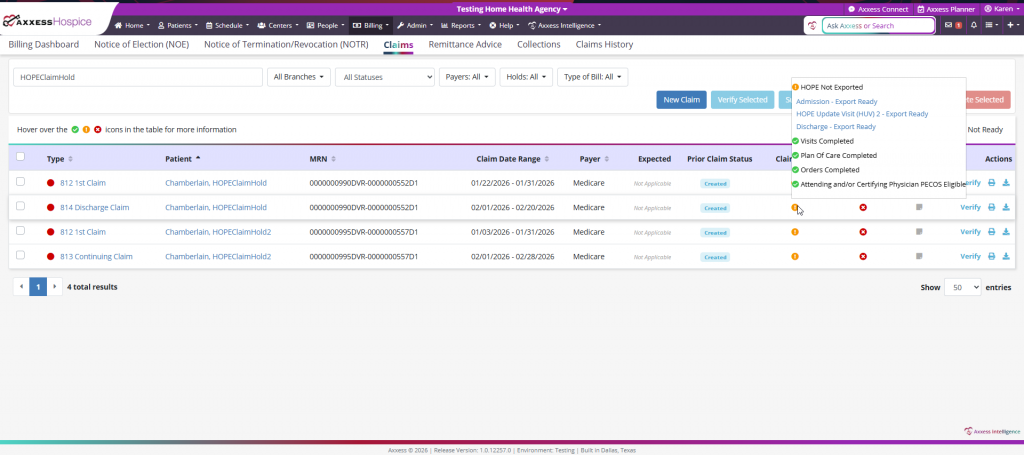
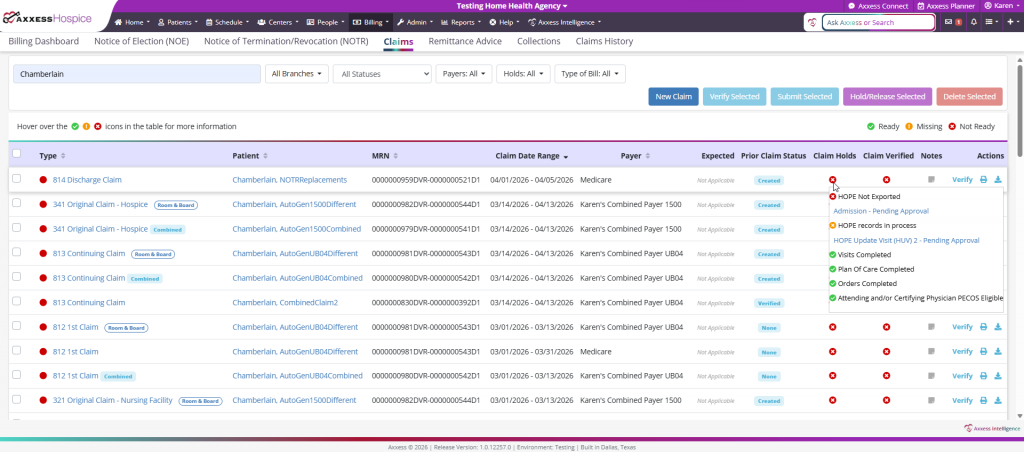
Once enabled, if the Admission, HOPE Update Visit 1, HOPE Update Visit 2 or Discharge records do not have an Exported or Accepted status, the claim hold will display an Error or Warning icon in the Claim Holds column.
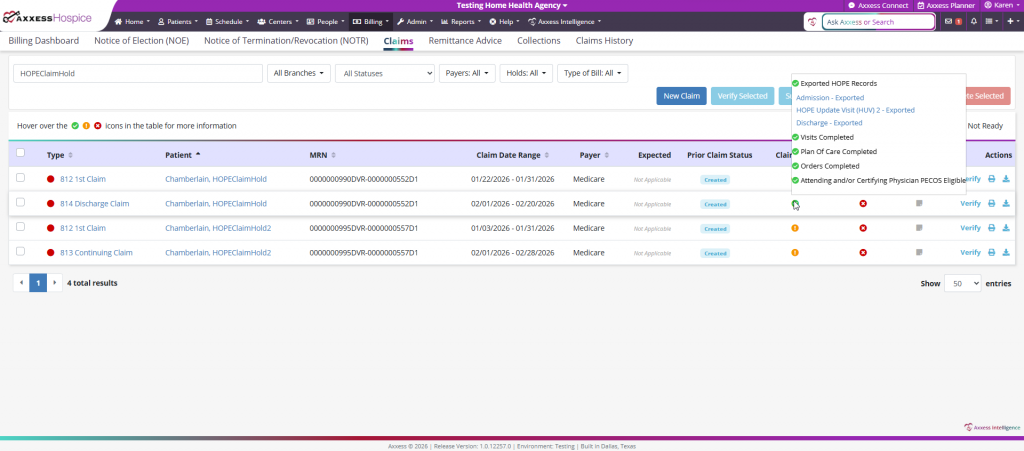
When the Admission, HOPE Update Visit 1, HOPE Update Visit 2, or Discharge records have a status of Exported, Accepted, or Not Completed (for HUV1 or HUV2) a green check mark icon will appear in the Claim Holds column.
When the HOPE Update Visit 1 or HOPE Update Visit 2 spans across two billing periods and the Z0350 – Date Assessment was Completed has not yet been established, the claim hold will display a Warning icon during the first billing period indicating the record is in process.
Updated on 04/16/2026
No related posts.
