Axxess Hospice now enables users to mark incorrectly entered Certifications of Terminal Illness (CTIs) as errored. By enabling users to efficiently manage CTI errors, this enhancement streamlines operations.
Users must have permission to delete tasks in Axxess Hospice to mark CTIs as errored.
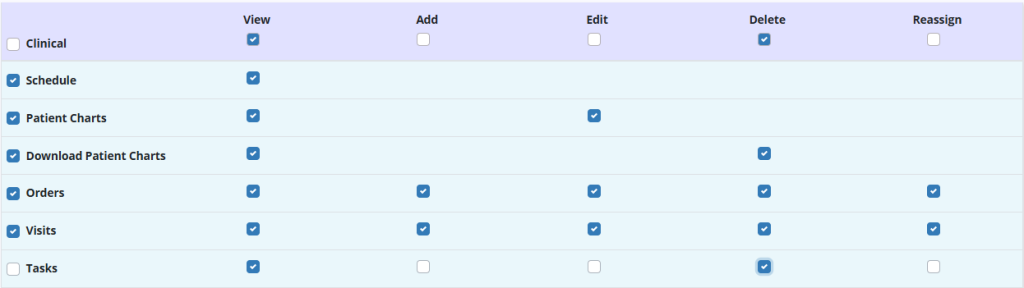
To give a user permission to delete a task, edit the user’s profile and navigate to the Permissions tab. In the Clinical section, select the Delete checkbox next to Tasks. Click Save to finish granting the permissions to the user.
People tab ➜ People Center ➜ Edit ➜ Permissions tab ➜ Clinical section ➜ Tasks ➜ Delete ➜ Save
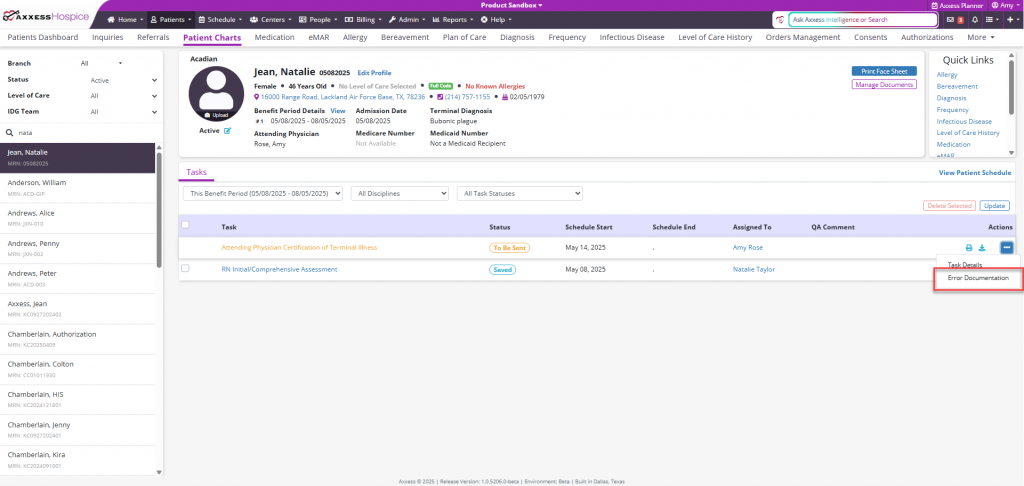
To mark a CTI as errored, navigate to the desired CTI and select the ellipsis icon under the Actions column and select Error Documentation from the drop-down menu.
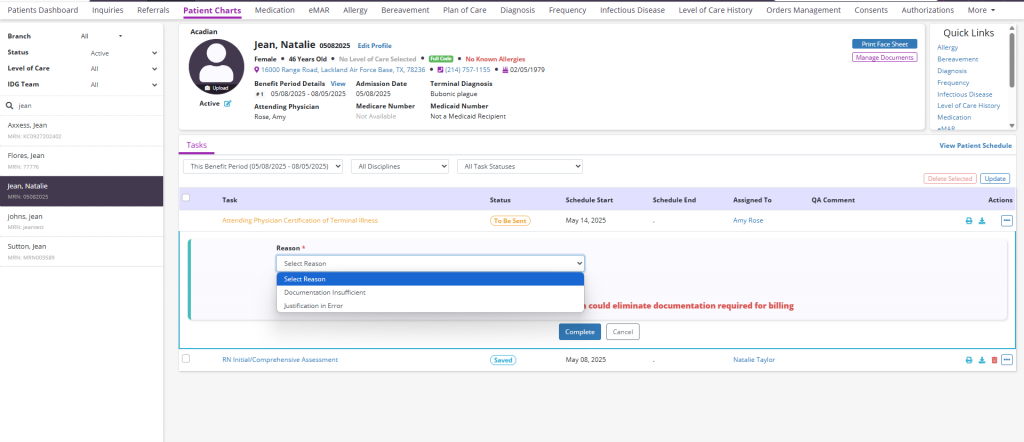
Once selected, the user will be required to select a reason from the Reason drop-down menu.
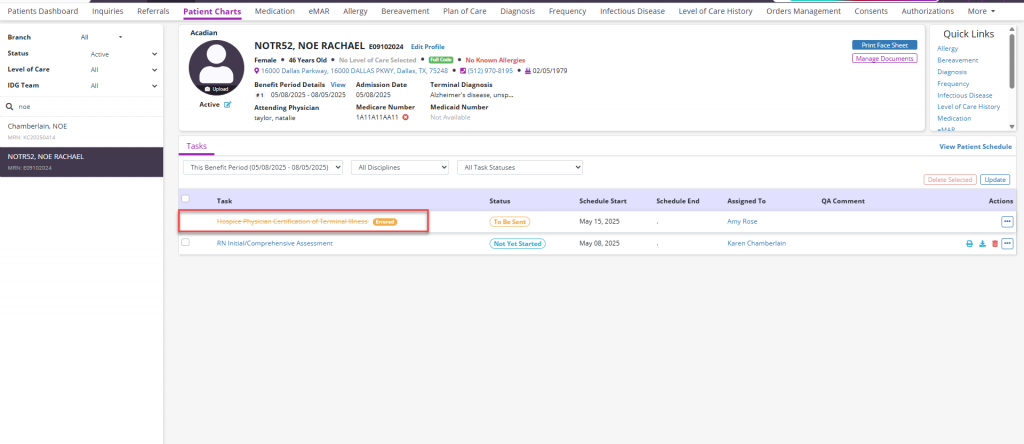
The errored CTI will then appear on the patient’s task list with strikethrough text and an Errored label, and it will no longer be downloadable, printable or included in the patient chart download.
Updated on 06/18/2025
No related posts.
