Axxess Hospice now automatically generates a comprehensive discharge summary at the time of a patient’s discharge. This enhancement streamlines documentation and facilitates compliance by providing a complete, ready‑to‑use record of the patient’s stay, ensuring accurate and consistent discharge reporting.
When a patient is discharged through any discharge or death note, an auto‑generated discharge summary is created and assigned to the user responsible for the corresponding discharge or death task. If a patient is discharged manually, the Discharge Summary will still be created, but it will not be assigned to a specific user.
Once the Discharge Summary is generated, it can be opened from the Tasks list in the patient’s chart. Users can review the summary for accuracy, make any necessary edits, and determine whether a physician signature is required.
The Discharge Summary mirrors similar elements in the Plan of Care profile, including basic patient and provider information, and any authorized contacts.
It also includes the following sections:
Diagnosis Information
Benefit Period Information
Level of Care Information
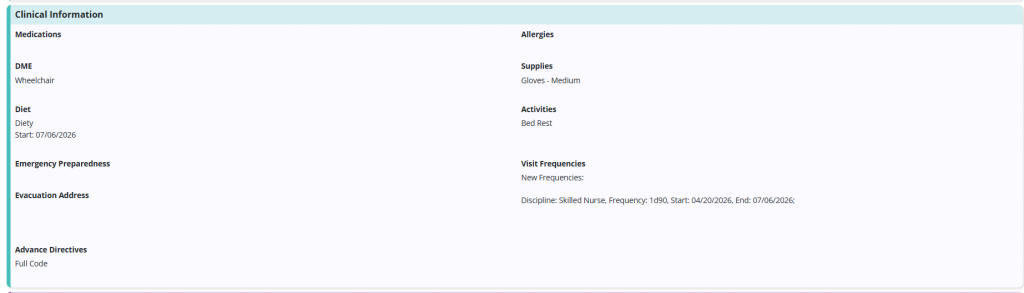
Clinical Information
Problems/Goals/Interventions
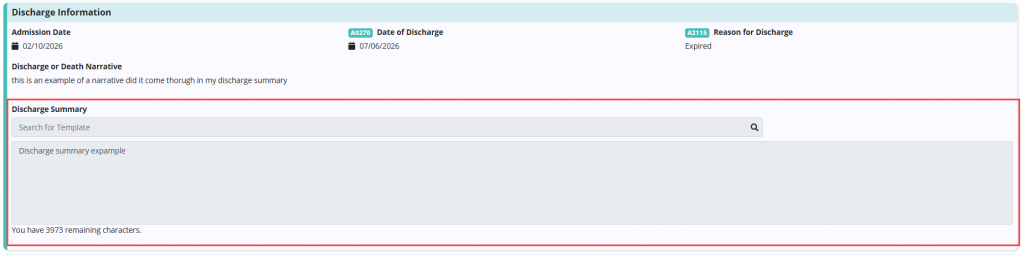
Discharge Information




If the Discharge Summary is generated from a completed death or discharge note, the Discharge or Death Narrative field will appear in a non-editable format within the Discharge Information section.

A Discharge Summary free‑text field is also available for documenting any additional care details related to the patient’s admission to hospice.
At the end of the form, users can indicate whether the discharge summary needs to be sent for signature. If Send to Attending Physician for Signature or Send to Hospice Physician for Signature is selected, the document will appear in the Orders Management tab and can be sent according to the provider’s preferred delivery method.

Discharge summaries can be downloaded, printed, and deleted, provided the user has the appropriate permissions. If the summary requires an updated narrative, the existing summary can be deleted, and completing a new death or discharge note, or an addendum, will automatically generate a replacement summary. If a Discharge Summary is deleted in error, any user with the Delete Tasks permission can restore it.
Updated on 7/16/2026