Axxess Hospice now enables users to designate a task to pull data to a specific HOPE timepoint when the task is completed outside the required window. The solution also provides clear visibility when an assessment is finished outside the designated timepoint or when an Symptom Follow-Up Visit (SFV) is late. By providing users greater visibility into late HOPE records, this enhancement ensures compliance.
To access this feature, users must have permission to view and edit HOPE Task Designation in Axxess Hospice.
To give a user permission to view and edit the HOPE Task Designation, edit the user’s profile and navigate to the Permissions tab. In the Administration section, select the checkbox next to the HOPE Task Designation permission. Click Save to finish granting the permissions to the user.
People tab ➜ People Center ➜ Edit ➜ Permissions tab ➜ Administration section ➜ HOPE Task Designation ➜ Save

Once the permission is enabled, a new HOPE Designation section will be displayed in the Details screen of applicable tasks. Users can indicate whether the visit needs an Admission, HUV 1 or HUV 2 designation.
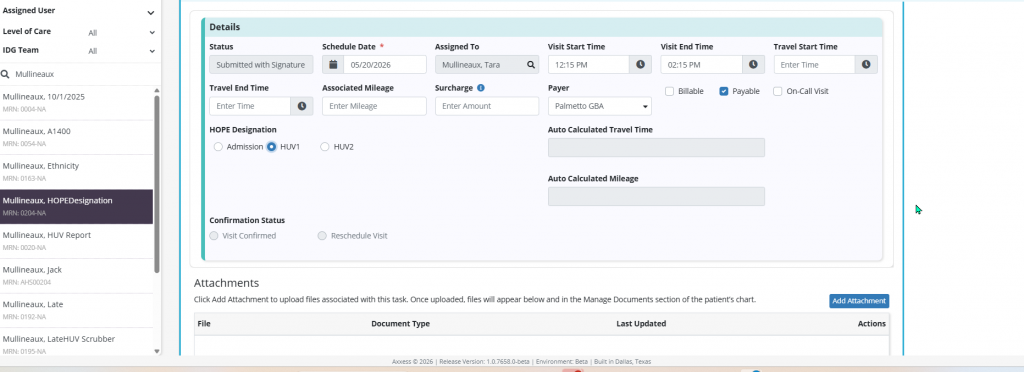
Once the designation has been selected, the solution will:
Automatically select the correct time period based on the visit schedule
Leave options unselected if the visit falls outside HOPE timeframes
Update automatically if the visit is rescheduled or moved
Designated visits will now automatically determine whether a visit is a Symptom Impact (first visit) or an SFV. This will feed directly into the HOPE forms (Admission, HUV 1, HUV 2) and the Symptom Impact Tracker.
For example, if an SFV occurs within two days of the original assessment but in a different time period, the solution will continue to associate it correctly to the original HOPE timeframe.
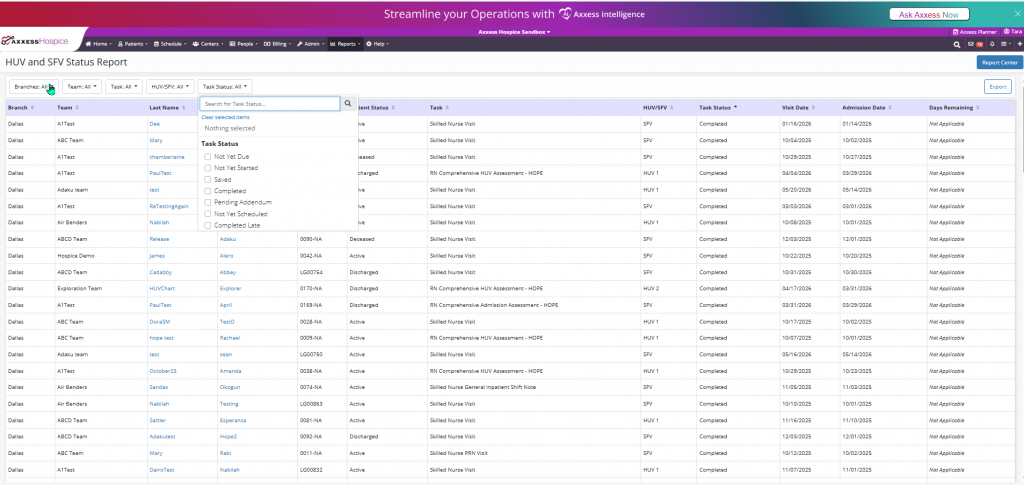
Late tasks will display a Completed Late status, appearing when visits fall outside of expected timeframes. The Completed Late status will also be included in the Task Status filter of the HUV and SFV Status Report.
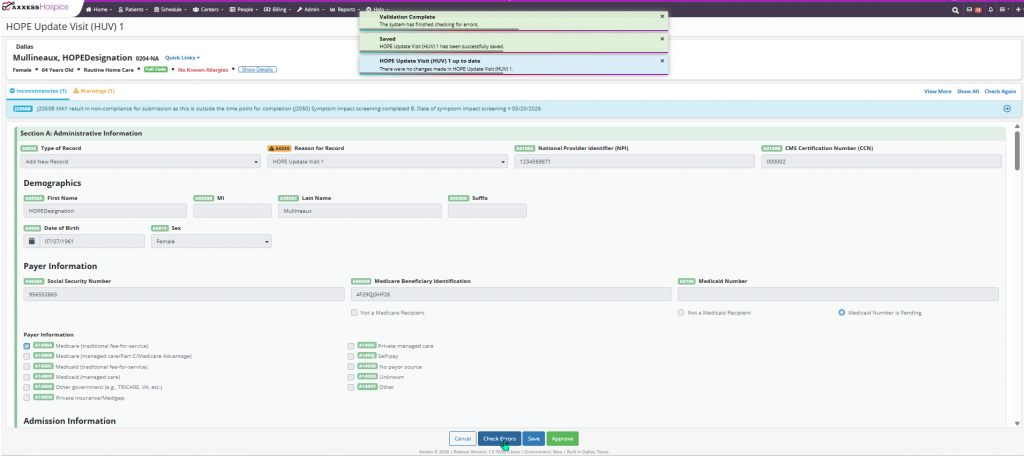
A blue inconsistency message will also display to the user when checking for errors within the assessments, identifying any potential compliance risks before submission.
Updated on 7/16/2026
