Axxess Hospice now enables users to manually mark the Notice of Election (NOE) or Notice of Revocation/Termination (NOTR) as submitted for reporting purposes, without routing it through the clearinghouse. By enabling users to manually mark the NOE or NOTR as submitted when necessary, this enhancement streamlines billing operations and ensures accurate claims history records.
To manually mark a NOE or NOTR as submitted, users must have permission to manually submit NOEs and NOTRs in Axxess Hospice.
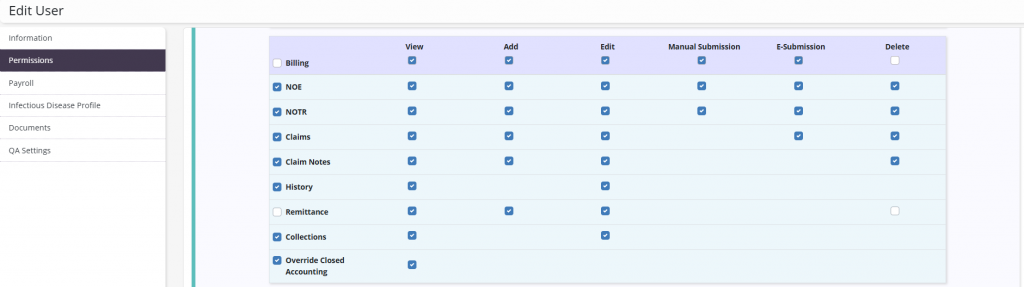
To give a user permission to manually submit NOEs or NOTRs, edit the user’s profile and navigate to the Permissions tab. In the Billing section, select Manual Submission next to the NOE and NOTR permissions. Click Save to finish granting the permissions to the user.
People tab ➜ People Center ➜ Edit ➜ Permissions tab ➜ Billing section ➜ NOE/NOTR ➜ Manual Submission ➜ Save
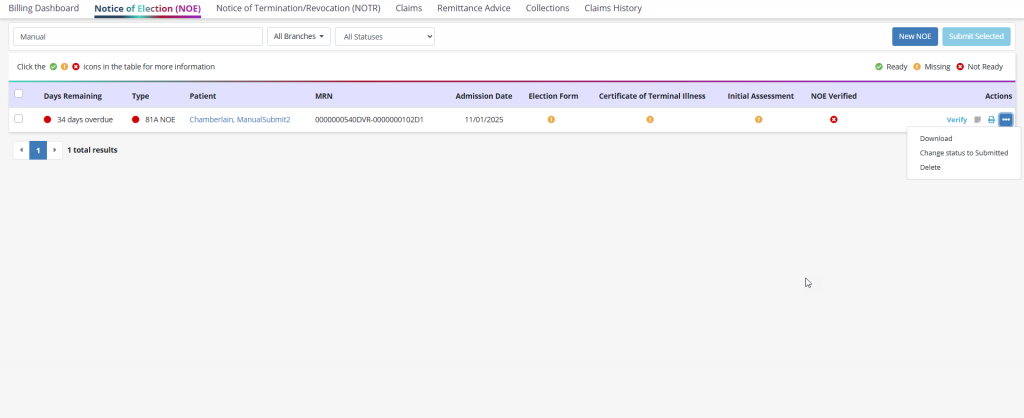
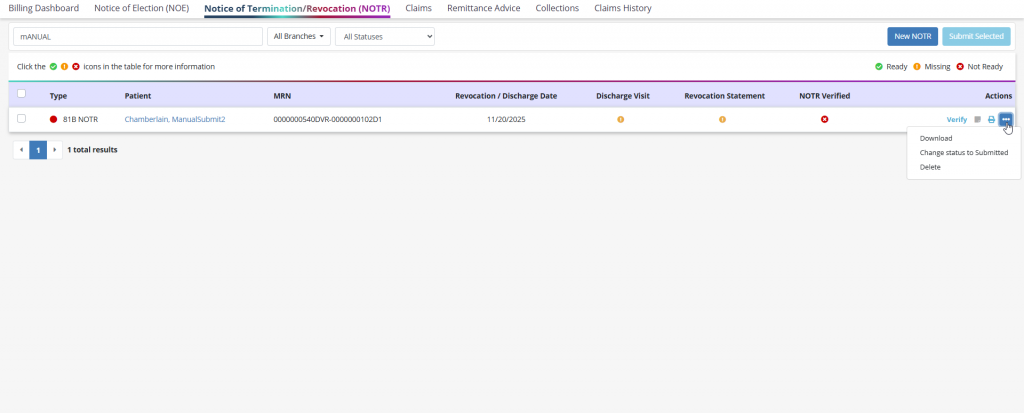
To manually mark a NOE or NOTR as submitted, navigate to the Billing tab and select Notice of Election (NOE) or Notice of Termination/Revocation (NOTR) from the drop-down menu. Once on the desired screen, navigate to the ellipsis icon under the Actions column and select Change Status to Submitted.
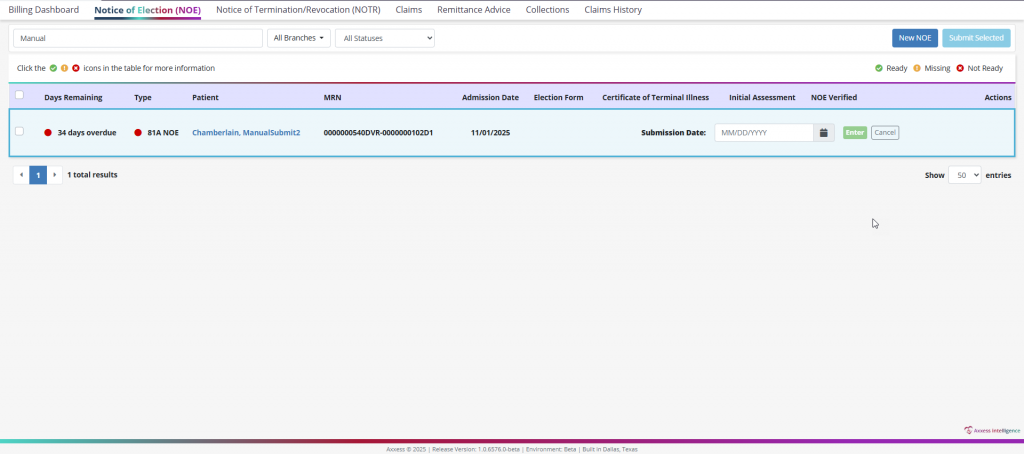
Enter the date the claim was manually submitted and click Enter.
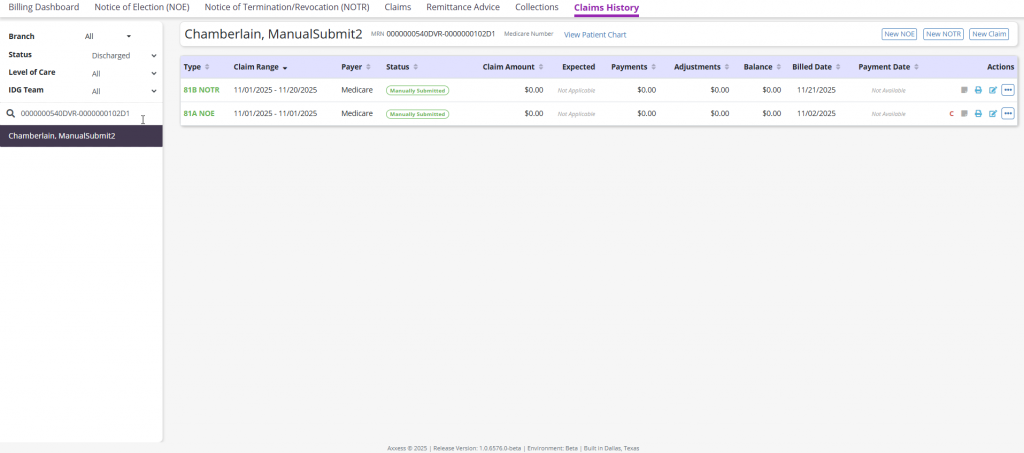
Once entered, the claim will flow to the Claims History page with the Manually Submitted pill displayed in the Status column. The entered submission date will be displayed in the Billed Date column.
Updated on 1/14/2026
