Axxess Home Care has updated the Physician List to display physicians who have been marked as deleted, and now enables users to restore deleted physicians without re-entering their information. This enhancement streamlines operations and ensures compliance.
To access the updated list, users must have permission to view the physician list in Axxess Home Care.
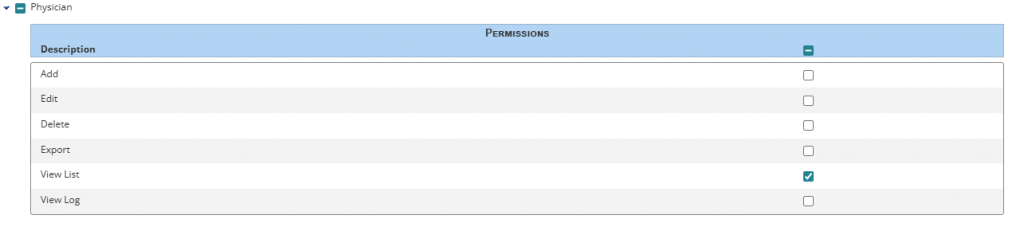
To give a user permission to view the physician list, navigate to the employee’s profile and select Permissions from the Quick Links menu. In the Administration section, navigate to the Physician section and select the checkbox next to View List. Click Save to finish granting the permissions to the user.
Employees tab ➜ Employee Center ➜ Quick Links ➜ Permissions ➜ Administration section ➜ Physician ➜ View List ➜ Save
To access the Physician List, navigate to the View tab, hover over Lists and select Physicians.
View tab ➜ Lists ➜ Physicians
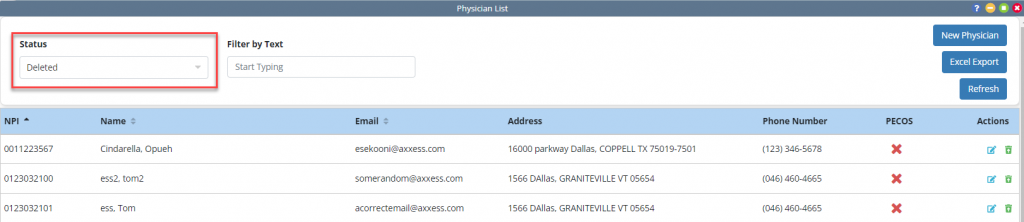
At the top of the screen, a Status drop‑down menu is now displayed and defaults to Active status.

Navigate to the drop-down menu and select Deleted to view a list of physicians who have been deleted.
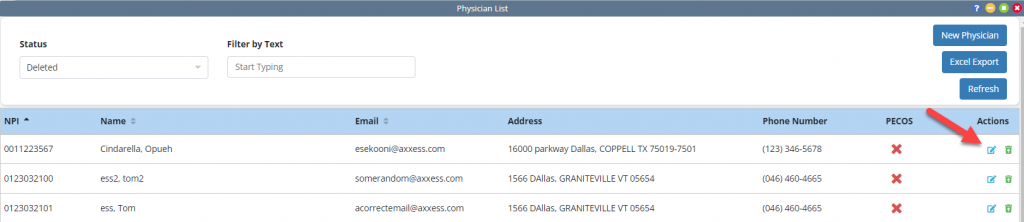
From the deleted physician view, select the Edit icon under the Actions column to edit a deleted physician.
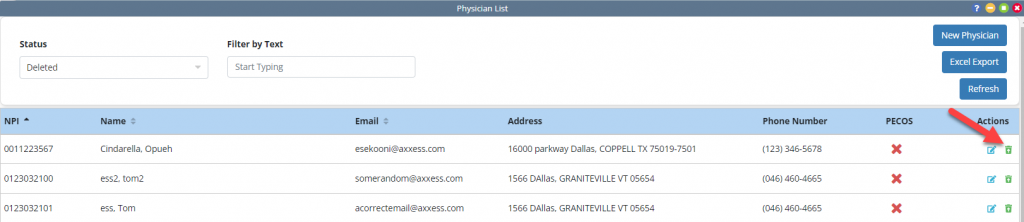
To restore a deleted physician, select the Restore icon under the Actions column.
Updated on 05/20/2026
No related posts.
