The following functionality is coming soon to Axxess Home Care. Axxess will alert you when this feature is available. Check your messages in Axxess Home Care for important alerts from Axxess.
Axxess Home Care now enables users to schedule visits directly from their mobile device, giving users greater flexibility to manage schedules wherever they are. This enhancement streamlines scheduling operations and promotes ease of use.
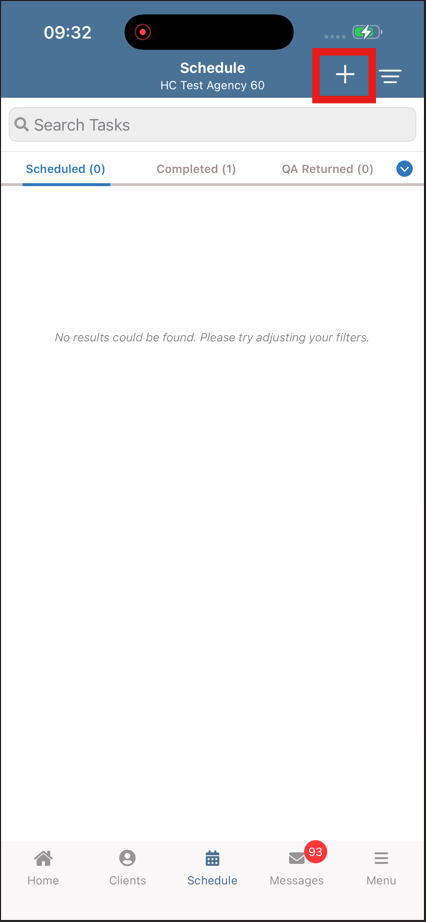
To schedule a visit from the Axxess Home Care Mobile App, users with scheduling permissions can begin by tapping Schedule from the main menu. Once on the screen, select the plus icon to create a new visit.
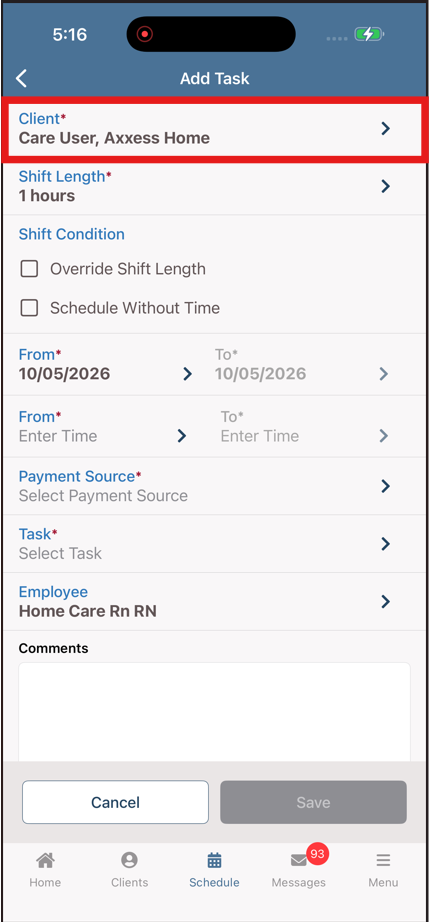
When selected, the Add Task screen is displayed. Tap Client to locate the desired client and add their name to the visit form.
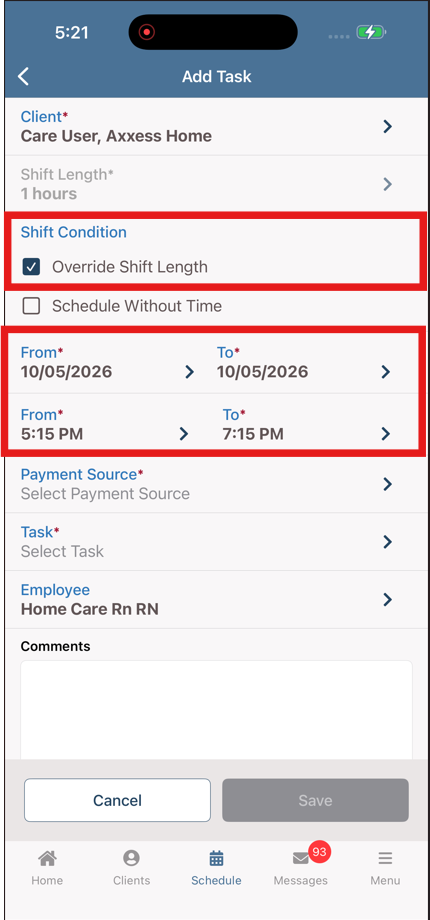
Enter the required visit information. Please note, if Override Shift Length is selected, the shift length fields become disabled. If Schedule Without Time is selected, the time fields will become hidden.
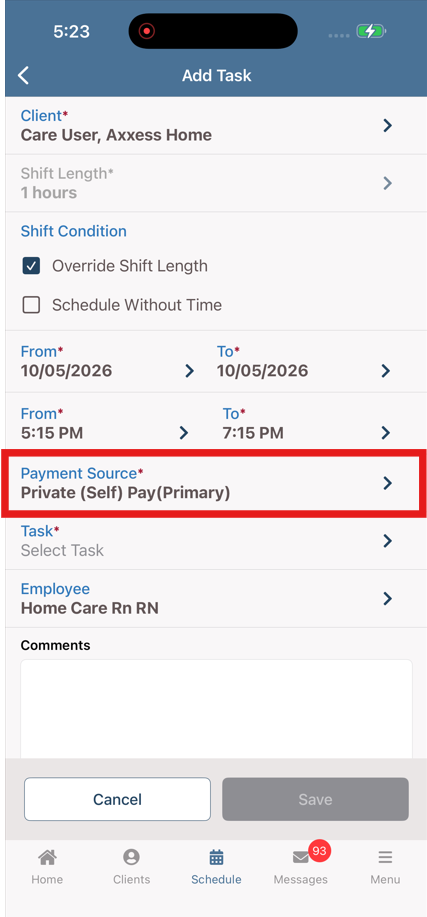
Tap Payment Source to select the available payment sources for the visit.
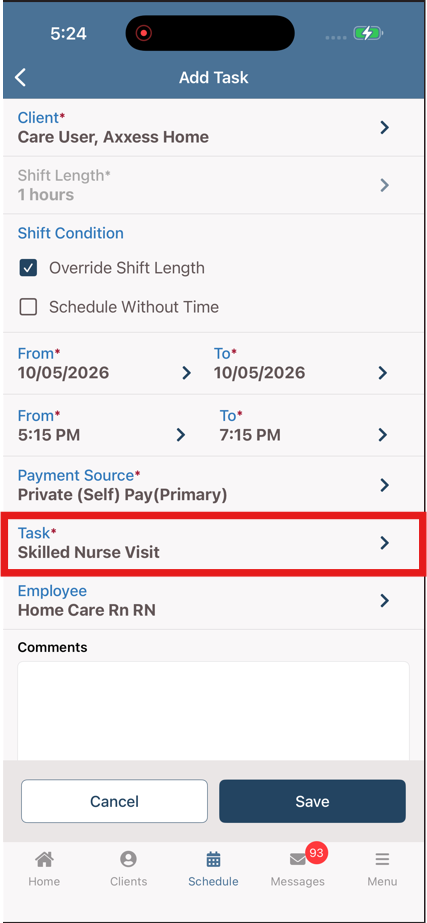
Tap Task to select the appropriate task for the visit.
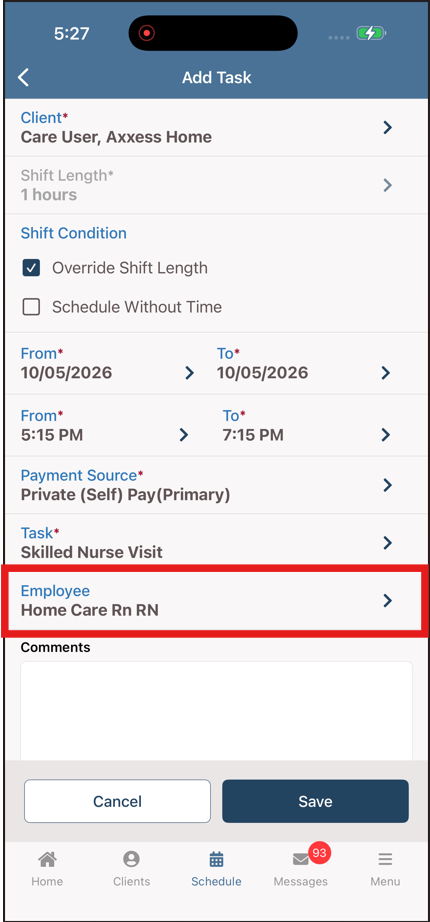
Tap Employee to select an employee for the visit. By default, the Employee field is automatically populated with the current user.
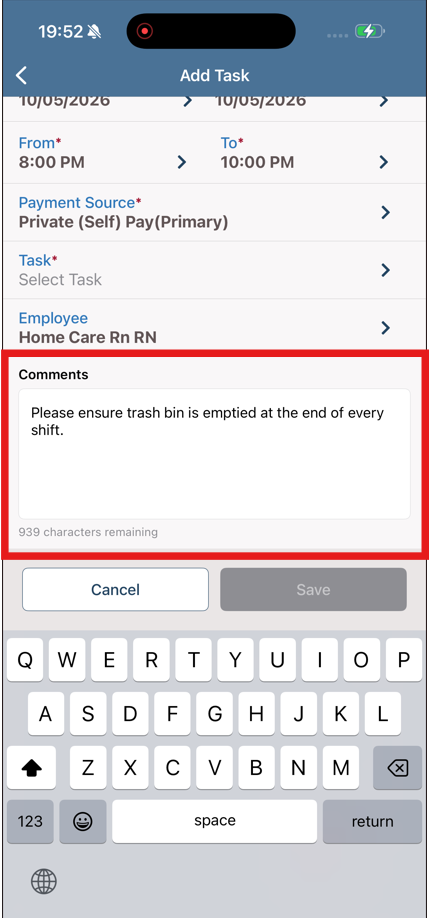
Tap Comments to enter any specific comments for the visit.
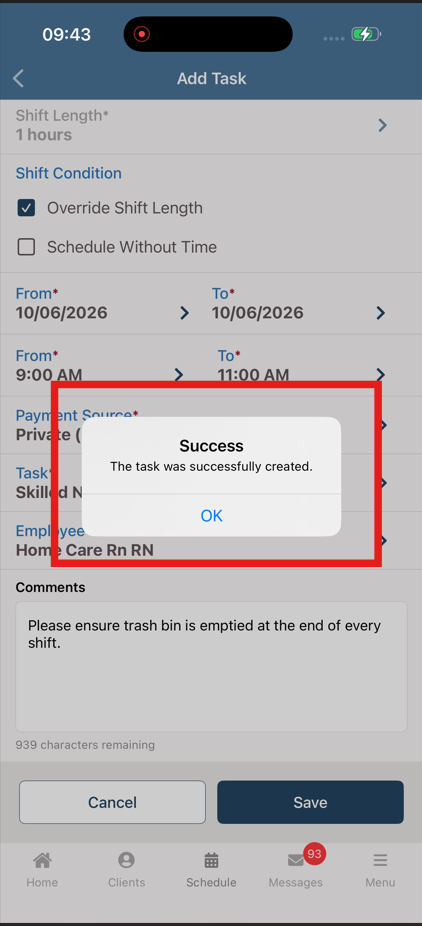
Tap Save to save and schedule the visit.
No related posts.