Ask Axxess is your Axxess intelligence®-powered assistant designed to simplify navigation, reduce administrative workload and accelerate decision-making across the platform. Ask Axxess enhances operational efficiency by providing quick access to essential information, summarizing key data and minimizing clicks.
Use Ask Axxess to:
Search for information across the platform related to patients, medications, orders, schedules, claims, remittance advices, physicians, users, reports and more.
Analyze data and surface key insights with minimal effort.
Discover the solution’s full functionality.
The View Ask Axxess permission must be enabled in Axxess Home Care.
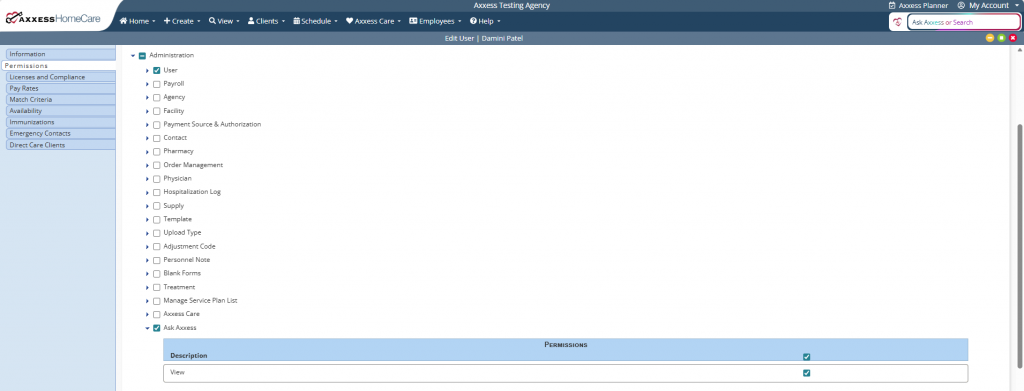
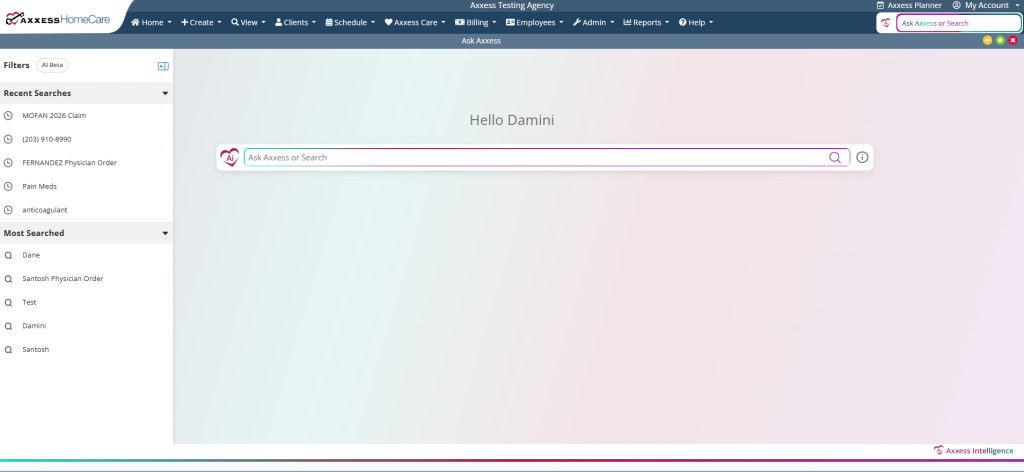
Once the Ask Axxess permission is enabled, navigate to the search bar in the top-right corner of Axxess Home Care or select Ask Axxess from the Home tab.

Here are some example searches to help you get started:
| Operational Searches | ||
| Category | Example Search | Description |
| Clients | Search client name or medical record number (MRN) | Locate a specific client by name or MRN to view all essential details in one place without opening multiple pages |
| Client Tags | Insert tag name | Tags enable custom client grouping by territories, care teams, clinical characteristics, and more to support filtering and care coordination |
| Phone Number | Search phone number | Identify a missed caller and match the number to a patient record |
| ZIP Code or City | Search “active clients in [ZIP code/city]” | Filter clients by location to optimize travel time for nearby visits |
| Inquiry Comments | Search keywords from inquiry comments | Search and review notes related to client inquiries for timely initiation of care |
| Visit Authorizations | Search client name, authorization number, payment source, date, or authorized tasks with keyword “auth” | Verify authorized visits before scheduling to prevent claim denials |
| Reporting | Search keywords from the desired report | Quickly locate reports |
| Users | Search user name, credentials, title, phone number, license information or match criteria | Locate staff profiles, roles, and contact details to improve internal coordination |
| Clinical Searches | ||
| Category | Example Search | Description |
| Tasks | Search task name, client name, task date, task status, or the assigned user’s name | Locate a specific task to review details and view the visit note, print preview, and task details |
| Orders | Search order number, patient name, provider name, order name, or order date | Locate a specific order to update its status, follow up, or confirm completion |
| Medications | Search medication name, classification, or dose | Identify all client prescribed a certain medication or with specific medication characteristics; search medications ordered by certain providers for more efficient care coordination |
| Physicians | Search physician name, credentials, NPI, phone number, or address | Locate a specific provider and view all essential details in one place without opening multiple pages |
| Clients | Search clients with a vent, clients that require suction, clients using TAR, clients on oxygen | Identify high-acuity patients to support faster staffing and care decisions |
| Billing Searches | ||
| Category | Example Search | Description |
| Claims | Search client name, dates, claim type/type of bill, status, insurance name, or errors/warnings | Streamline billing workflows and speed up resolution |
| Visit Authorizations | Search client name, authorization number, payment source, date or authorized tasks with keyword “auth” | Compare authorizations with completed visits to prevent claim denials |
| Batches | Search client name with the term “batch”, batch ID, date or insurance name | Search for submitted claims to determine if responses have been received from the insurance company and identify corrective actions needed for timely payment |
Additionally, users can utilize Ask Axxess as a support assistant that provides staff with instant answers to EMR and workflow questions. Instead of searching through the Help Center or submitting support tickets, users can ask the agent questions directly and receive clear, actionable guidance for self‑service support, powered by Axxess Help Center content.
Use Ask Axxess when:
You need how-to instructions for a feature.
You need to know which permissions are required for a specific functionality.
You’re unsure where to find something in the system.
Use Quick Search for routine, high-frequency tasks to quickly access key data.

Search by keyword or phrase. For example, search active clients in 95411 or clients taking pain medication.
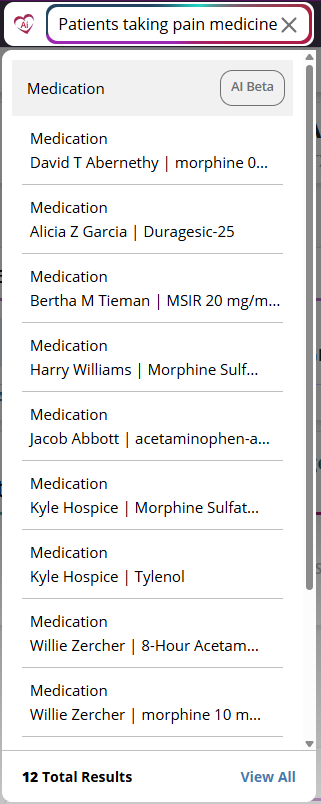
Click on the results to get to the data you need.
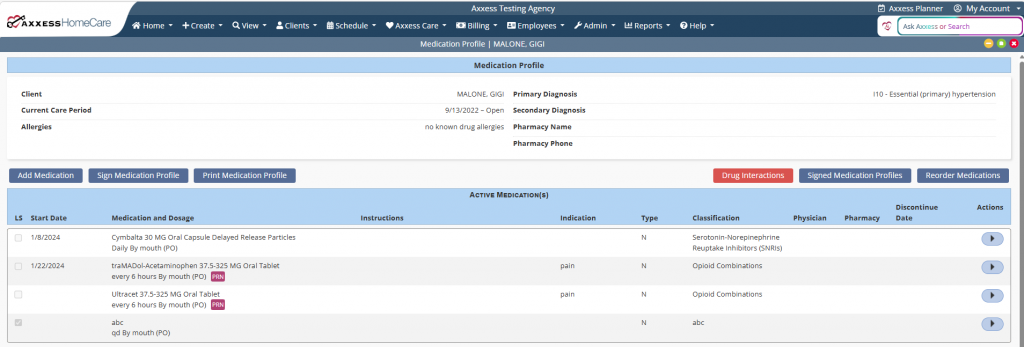
Expanded Search is best for deeper analysis. It consolidates related information by client, user or provider, so you don’t have to switch between screens. The clearer and more detailed your search, the more accurate your results will be. Select predefined prompts for summaries, insights and recommended actions.
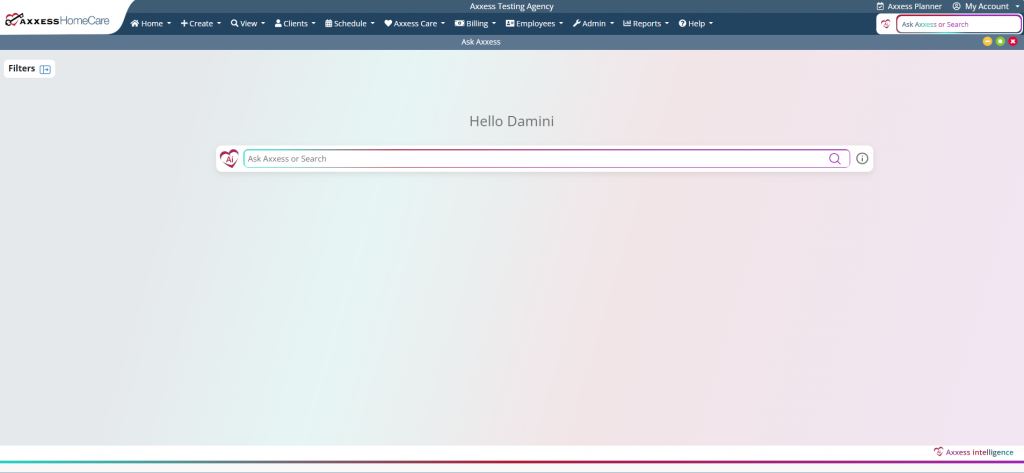
Navigate to Filters to narrow results by clients, orders, task, remittance advice, etc. Use Recent and Most Searched to quickly pick up where you left off and streamline repeated actions.
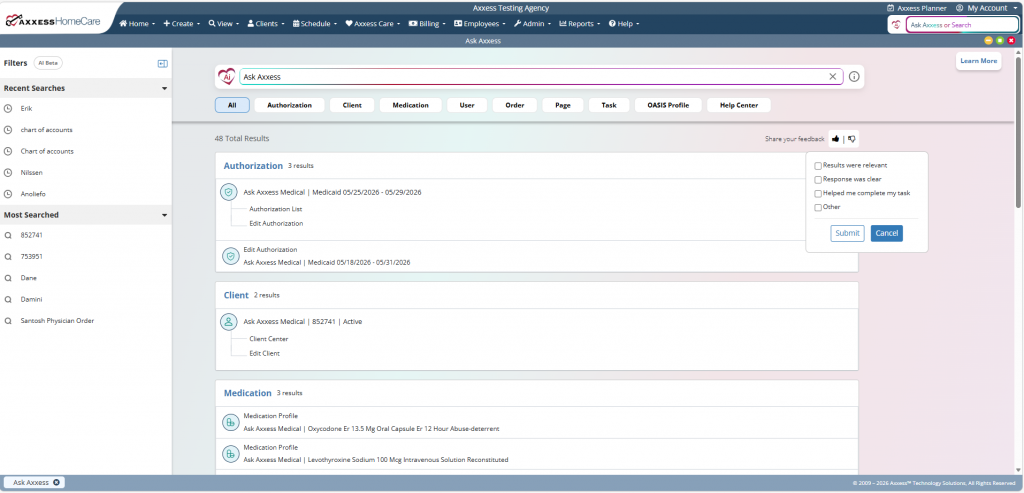
Ask Axxess includes feedback tools that help improve the accuracy and usefulness of your search results. Use the thumbs-up or thumbs-down icons to let us know what worked well and how we can improve.
Select the thumbs-up or thumbs-down icon.
A submit feedback box will appear. If Other is selected, you can enter up to 250 characters.
Select Submit to submit your feedback, or Cancel to close the box without saving your information.
Built-In and Ready to Use
No extra downloads or separate tools. Ask Axxess is integrated directly into your workflow.
Faster Access to Information
Find the answers you need instantly without clicking through multiple screens.
Streamlined Workflows
Automate routine tasks and reduce manual effort to save time and boost productivity.
Complies With User Permissions
Adheres to user profile settings, ensuring staff only see what’s relevant to them.
Lower Operational Costs
Cut down on time-consuming processes and reduce overhead with more efficient task management.
Increased Revenue and ROI
Boost reimbursement and revenue by:
Reducing time spent on repetitive tasks
Enabling teams to focus on higher-value work
Accelerating traditionally slow processes
Centralized View of Data
Access related information by patient, user, provider and more — all in one place.
Real-Time, Insightful Guidance
Make faster, more informed decisions backed by accurate, up-to-date data.
Enhanced Patient Outcomes
Improve care delivery with fewer delays and smarter, insight-driven decisions.
Easy to Use
Simple, intuitive keyword search. No special training required.
