Axxess Home Care now enables organizations to designate diagnoses as non‑billable in a client’s chart. This enhancement ensures compliance with payer requirements that allow only billable diagnoses on plans of care and claims. When a diagnosis is marked as non‑billable, it will be automatically excluded from the plan of care and claim, reducing manual work and preventing billing errors.
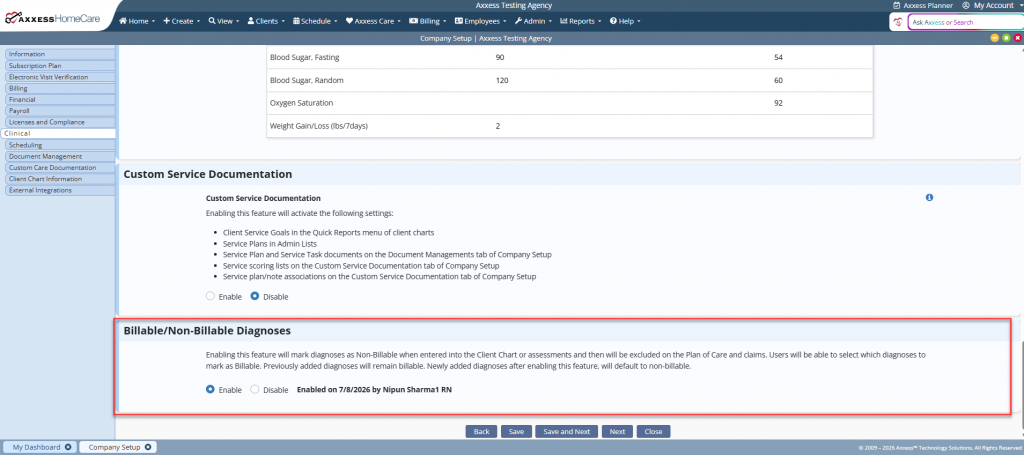
To enable the feature, navigate to Company Setup under the Admin tab and select the Clinical tab. In the Billable/Non-Billable Diagnoses section, select Enable. Click Save to finish applying the changes.
Admin tab ➜ Company Setup ➜ Clinical tab ➜ Billable/Non-Billable Diagnoses section ➜ Enable ➜ Save
Once enabled in Company Setup, the non‑billable designation appears in the Diagnosis section of the client’s chart. To mark a diagnosis as non‑billable, select the checkbox next to Non‑Billable Diagnosis.
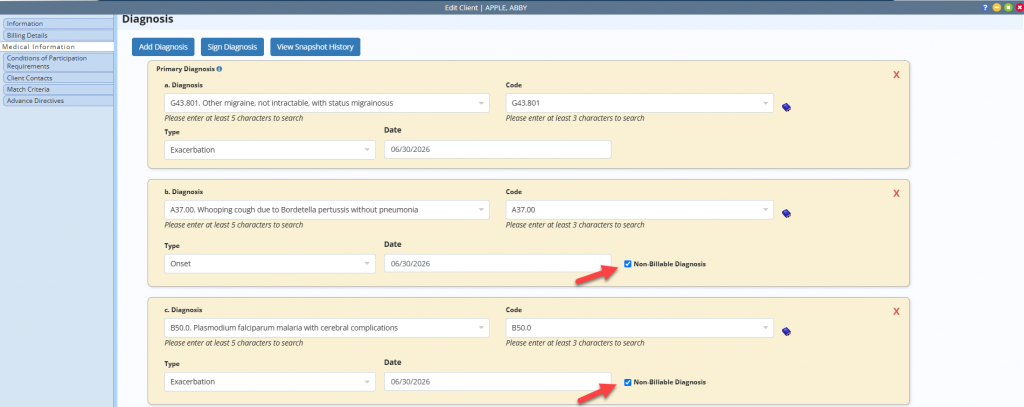
Diagnoses added to the client’s chart before the feature is enabled will remain marked as billable. Any new diagnoses added through the client chart or an assessment will default to non‑billable. To update the designation, select or clear the Non‑Billable Diagnosis checkbox.
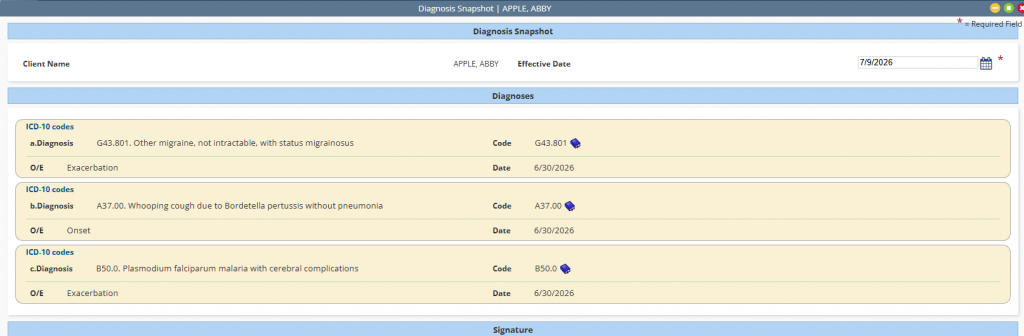
All diagnoses will display in the client’s chart, and the Diagnosis Snapshot.
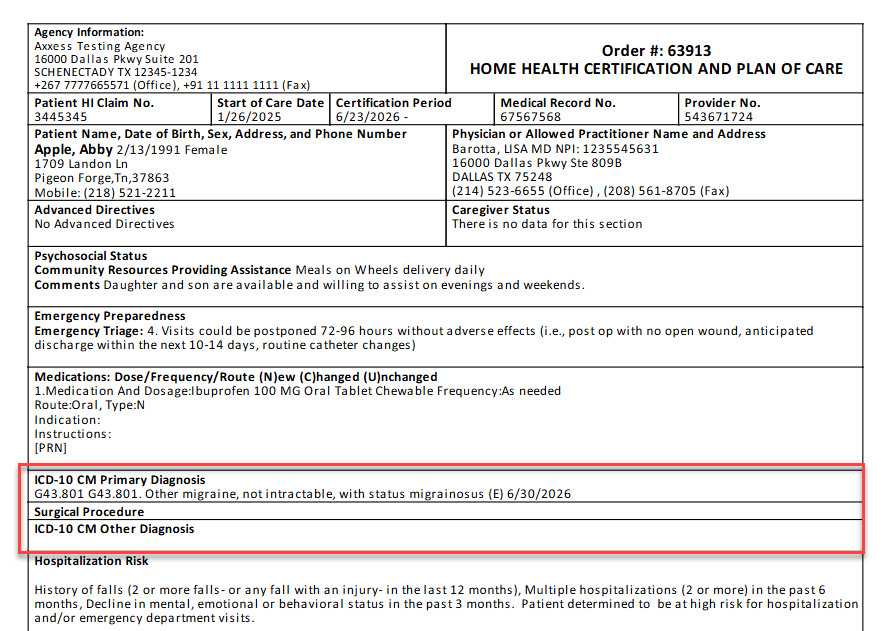
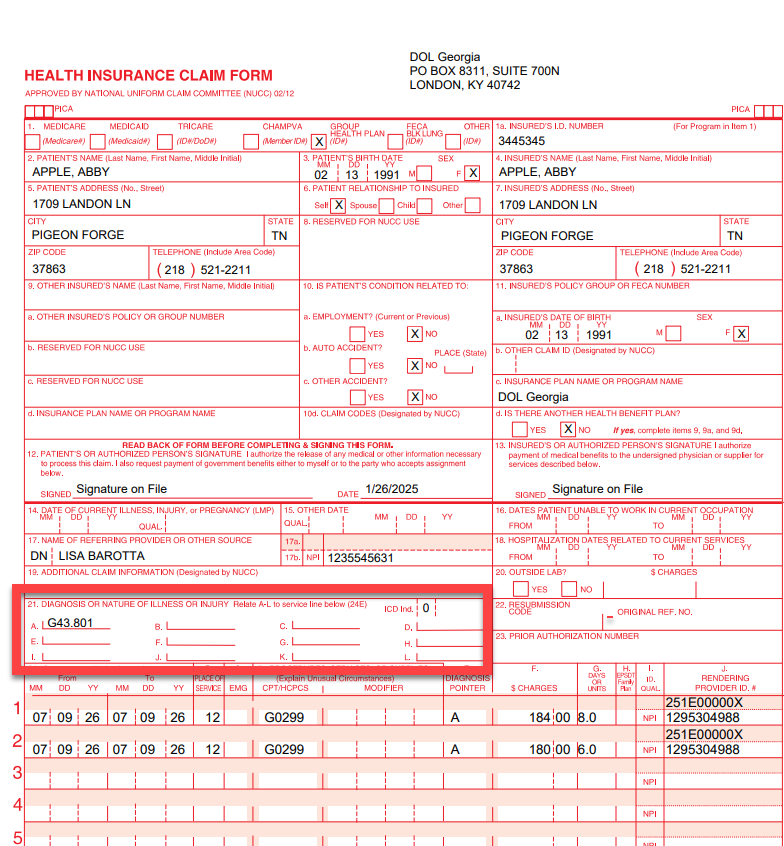
Only billable diagnoses will display on the plan of care and associated claims.
Updated on 08/12/2026
No related posts.