The following functionality is coming soon to Axxess Home Care. Axxess will alert you when this feature is available. Check your messages in Axxess Home Care for important alerts from Axxess.
Axxess Home Care now provides task duty fields for users in Florida using HHAeXchange as their EVV aggregator. The addition of these fields streamlines operations and facilitates compliance by providing organizations the exact documentation required to meet Molina Healthcare, state and federal EVV regulations.
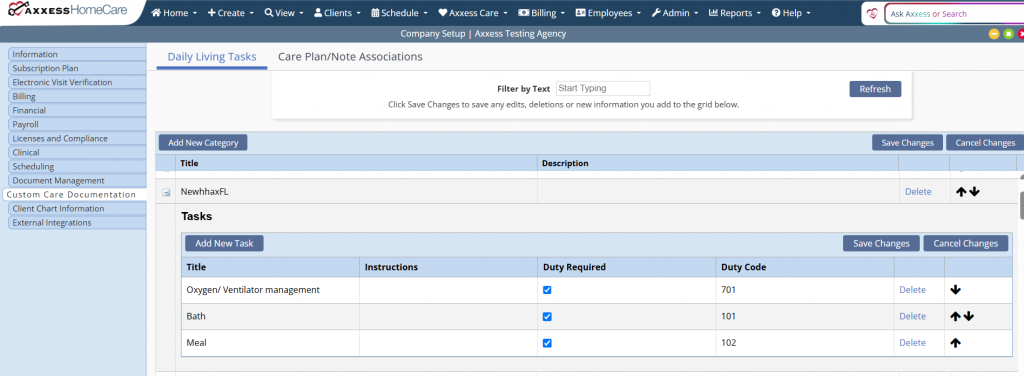
To indicate which tasks will require a duty, navigate to the Admin tab and select Company Setup from the drop-down menu. Select the Custom Care Documentation tab and click the Daily Living Tasks tab.
Admin tab ➜ Company Setup ➜ Custom Care Documentation tab ➜ Daily Living Tasks
When HHAeXchange is engaged in Company Setup, the Duty Required and Duty Code fields will be visible. Check the box under Duty Required to require the duty for the desired task. Enter the appropriate Duty Code from the task list appendix provided by HHAeXchange.
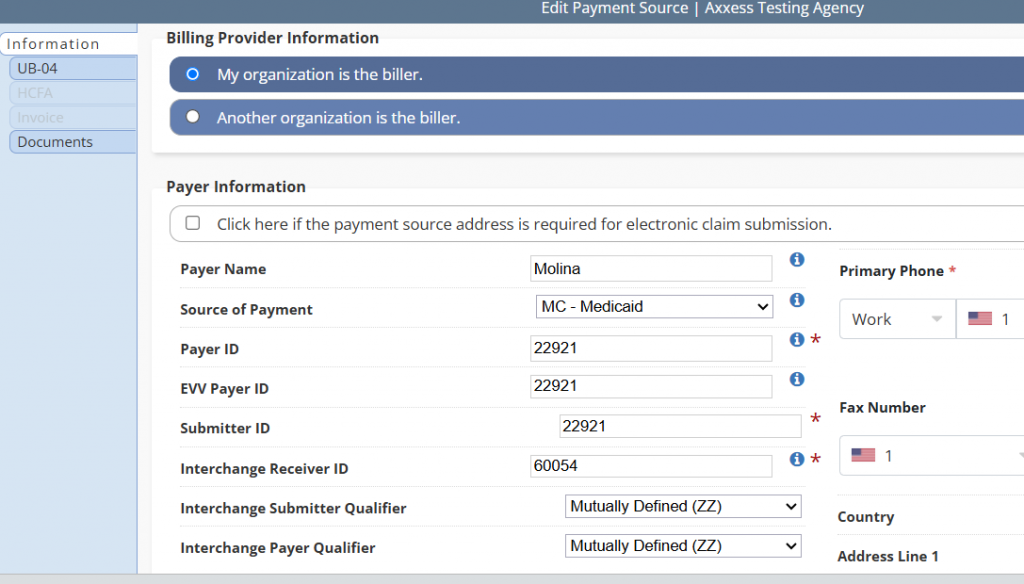
Once complete, edit the payment source and enter the EVV Payer ID.
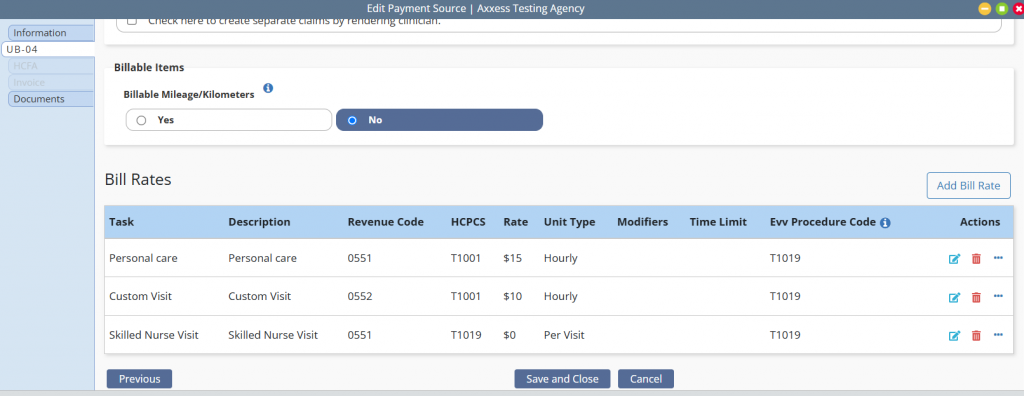
Navigate to the Bill Rates section to ensure accurate bill rates have been added to custom visit notes.
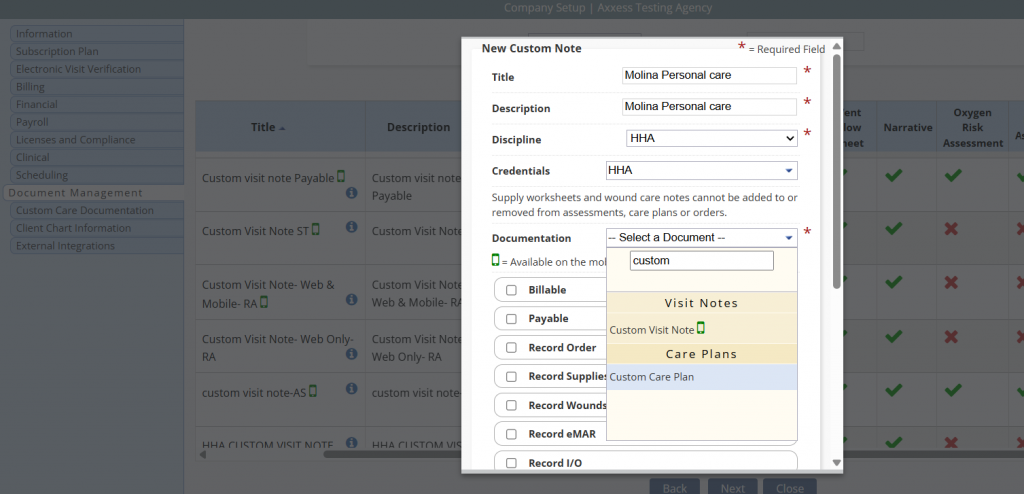
To schedule a custom care plan, first add the custom care and note by navigating to Company Setup and selecting the Document Management tab. Once on the screen, select New to create the custom note. Click Save to complete the changes.
Once complete, navigate to the Custom Care Documentation tab, and select the Care Plan/Note Associations tab. Select Add New to associate custom care plans and notes. This ensures the client’s care plan flows to the associated note.
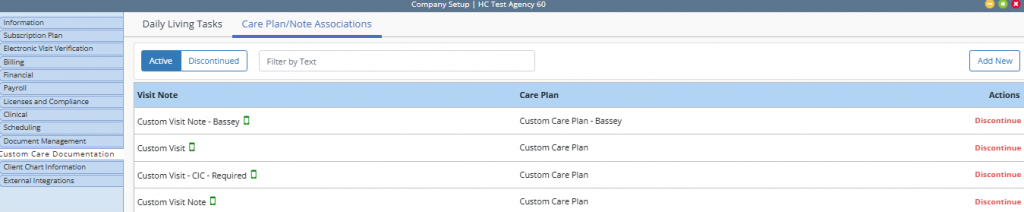
When all changes are saved, the custom care plan can be scheduled as a task.
When scheduling, the user can elect to apply the task to all shifts or a specific shift length. If a specific shift length is selected, the task will only flow to the note schedule during that time.
Once the custom care plan is completed, the associated visit notes can be scheduled. Note: Only the tasks selected on the care plan will flow to the associated note.
The user will have to note if the task was completed. If No is selected, the user will be required to enter details explaining why.
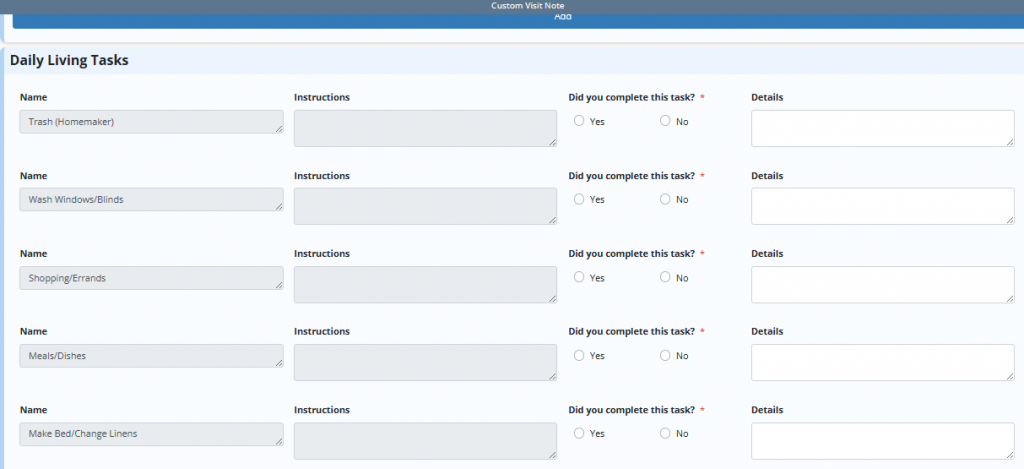
When a custom visit note has daily living tasks completed, the task ID that is mapped to the task will be submitted with the EVV data elements.