Axxess Home Care now enables users to select Other as an order delivery method for physician orders.
For Mosai subscribers, when Other is selected as a physician’s order delivery method, orders sent to the physician will automatically flow to the Other category on the Mosai dashboard for enhanced tracking and archiving.
For Axxess Home Care users that do not subscribe to Mosai, when Other is selected as a physician’s order delivery method, the physician’s orders in Axxess Home Care will move to the To Be Sent screen until manually processed by the user.
This enhancement increases ease of use, streamlines back-office functions and facilitates compliance with the delivery of physician orders in the physician’s preferred method.
To set a physician’s order delivery method as Other, navigate to the Admin tab, hover over Lists and select Physicians.
Admin tab ➜ Lists ➜ Physicians
To set Other as the order delivery method for an existing physician, select Edit in the Actions column next to the desired physician.
In the Order Delivery Method drop-down menu, select Other and click Save.
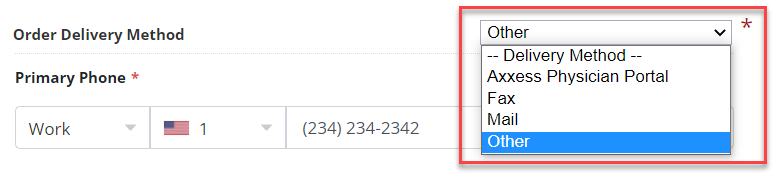
A physician’s order delivery method can also be set as Other by navigating to the View tab, hovering over Orders Management and selecting Orders To Be Sent.
View tab ➜ Orders Management ➜ Orders To Be Sent
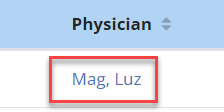
To set Other as the order delivery method for an existing physician, select the desired physician’s hyperlink.
In the Order Delivery Method drop-down menu, select Other and click Save.
For organizations with a Mosai integration, orders will flow to the Other category on the Mosai dashboard.
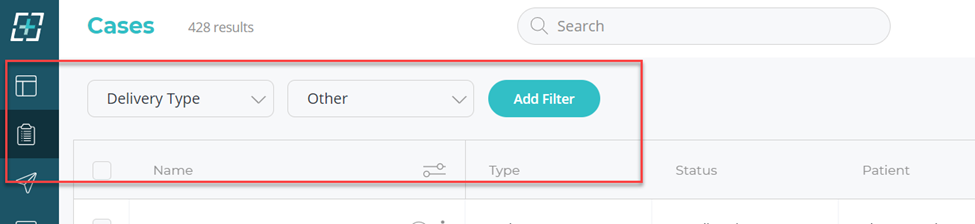
For organizations without a Mosai integration, orders will flow to the Orders To Be Sent screen in Axxess Home Care until manually processed by the user to an alternate delivery method.
Orders sent to physicians with a delivery method of Other will display Other in the Delivery Method column on the Orders To Be Sent screen.
Updated on 10/19/2022
