The following functionality is coming soon to Axxess Home Care. Axxess will alert you when this feature is available. Check your messages in Axxess Home Care for important alerts from Axxess.
Axxess Home Care now provides a Hospitalization Risk report that enables care teams to identify clients who may be at elevated risk for hospitalization. The Hospitalization Risk report is available for organizations that have enabled Conditions of Participation Items in Company Setup. This enhancement supports proactive care planning, helps organizations monitor hospitalization risk information and assists organizations in meeting documentation requirements related to Conditions of Participation items.
To generate the report, users must have access to the Hospitalization Risk report in Axxess Home Care.
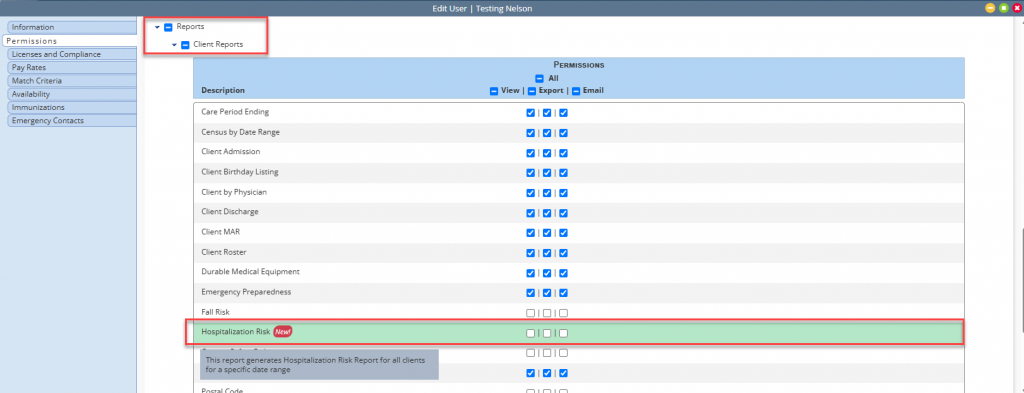
To give a user permission to access the Hospitalization Risk report, navigate to the employee’s profile and select Permissions from the Quick Links menu. In the Reports section, navigate to the Client Reports section and select the checkboxes next to Hospitalization Risk. Click Save to finish granting the permissions to the user.
Employees tab ➜ Employee Center ➜ Quick Links ➜ Permissions ➜ Reports section ➜ Client Reports ➜ Hospitalization Risk ➜ Save
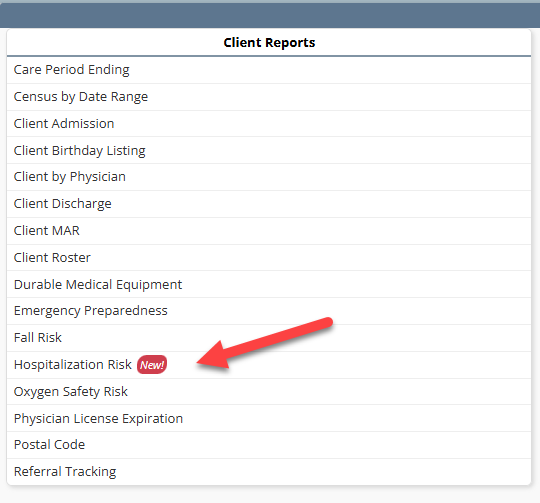
To generate the Hospitalization Risk report, navigate to the Report Center under the Reports tab. In the Client Reports section, select Hospitalization Risk.
Reports tab ➜ Report Center ➜ Client Reports ➜ Hospitalization Risk
The report can be filtered by Branches, Clients and Client Status. Once the desired parameters have been selected, select Generate.
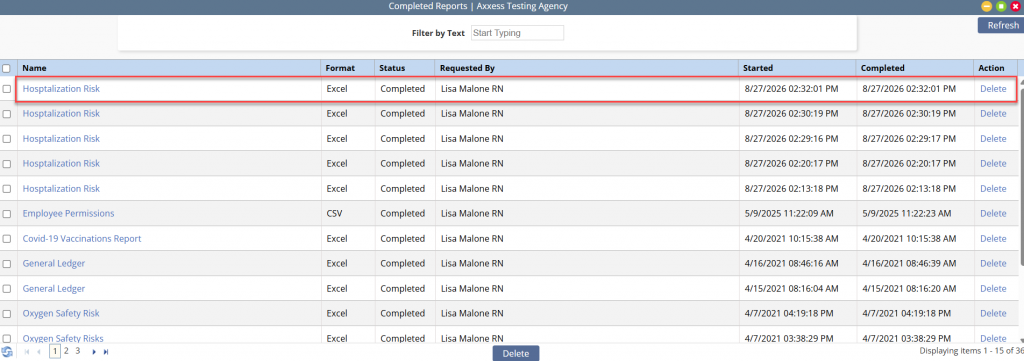
The solution will alert you through the Message Center when the report has finished generating. To view the report, navigate to the Reports tab and select Completed Reports. Click the report name to download an excel file of the report.
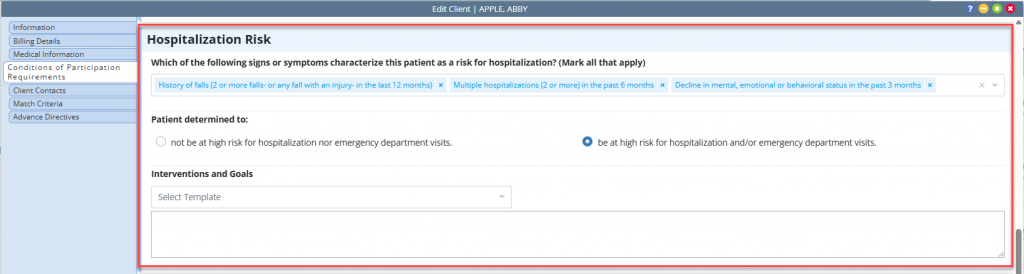
Report data is sourced from the Hospitalization Risk section of the client’s Conditions of Participation Requirements tab and will include the determined risk level, signs and symptoms selected, and interventions and goals entered for each client.