There are multiple ways to post visits to Axxess Care from the Axxess Home Care solution. When posting visits in Axxess Care, select the highest-acuity task scheduled for the visit. Doing so helps match the visit with the most qualified clinician and promotes quality patient care.
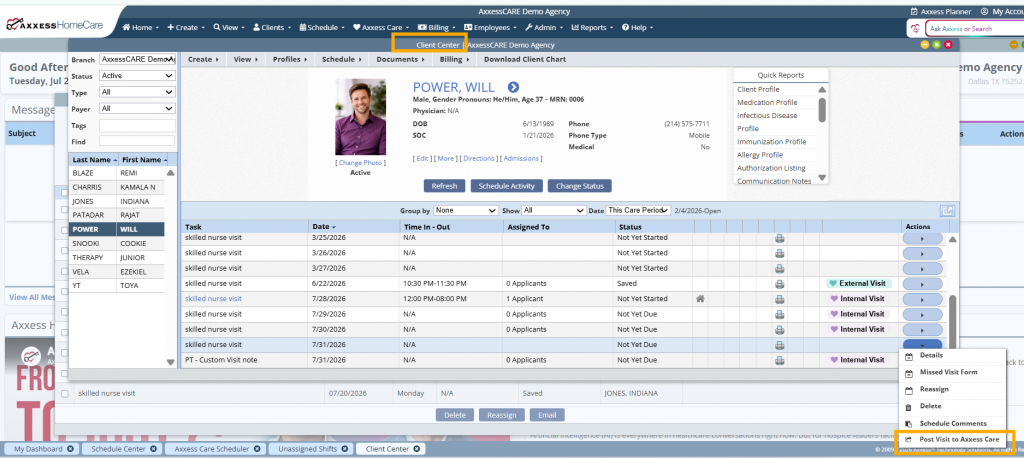
To post visits from the Client Center in Axxess Home Care, navigate to the Client Center under the Clients tab. Select the desired client and the visit. Once selected, click Post Visit to Axxess Care under the Actions column.
Clients tab ➜ Client Center ➜ Actions column ➜ Post Visit to Axxess Care
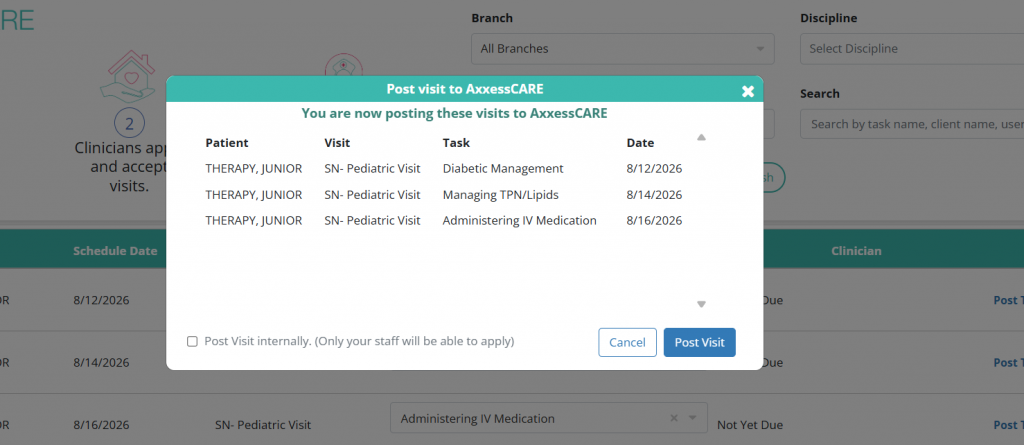
Once selected, enter the required information on the screen. Checking the box next to Post visit internally makes the post only visible to users directly employed through your organization. Leaving the box unchecked posts visits to all Axxess Care users. Select Post Visit to complete.

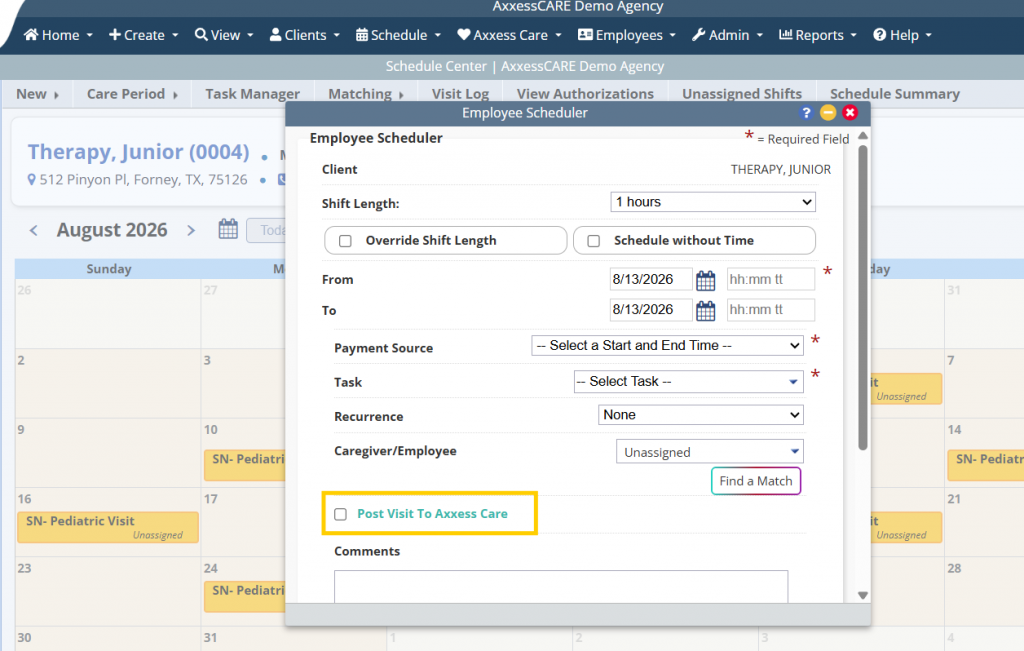
To post visits from the Schedule Center in Axxess Home Care, navigate to the Schedule Center under the Schedule tab. In the Client view, select the desired client. Select a date, enter the required information and click Post Visit to Axxess Care.
Schedule tab ➜ Schedule Center ➜ Post Visit to Axxess Care
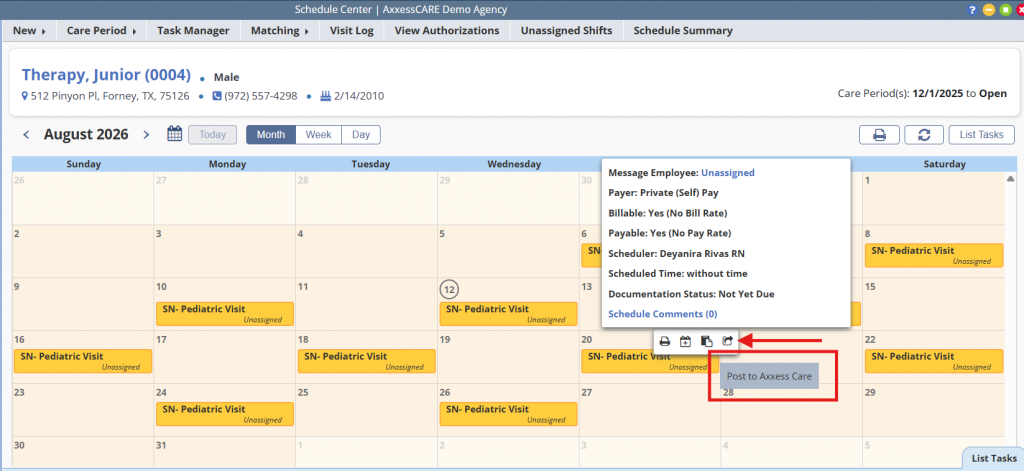
Previously scheduled visits can also be shared to Axxess Care. To post the visit, hover over the scheduled visit and select the arrow icon.
To bulk post visits to Axxess Care navigate to the Axxess Care tab and select Axxess Care Scheduler. Here users can search by task type or client name to post visits in bulk.
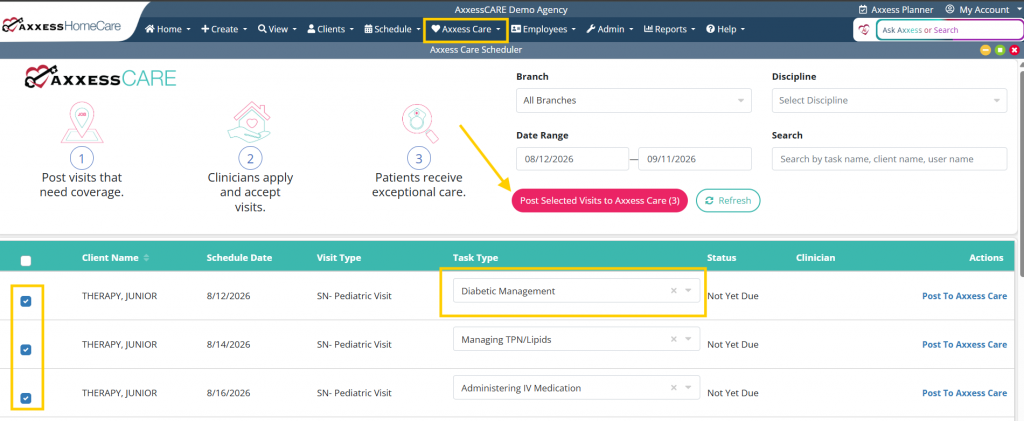
Once all the desired visits have been selected, click Post Selected Visits to Axxess Care. Users will again have to option to post visits internally or externally.