Axxess Palliative Care now enables organizations to add custom problem statements, goals and interventions directly to the plan of care. These custom entries flow seamlessly into task notes so users can document interventions and resolve items as appropriate. By granting organizations the ability to add custom problem statements, this enhancement streamlines operations.
To add custom problem statements, goals and interventions, users must have permission to view, add and edit the Plan of Care in Axxess Palliative Care.
To give a user permission to view, add and edit the Plan of Care, edit the user’s profile and navigate to the Permissions tab. In the Clinical section, select View, Add and Edit next to the Plan of Care permission. Click Save to finish granting the permissions to the user.
People tab ➜ People Center ➜ Edit ➜ Permissions tab ➜ Clinical section ➜ Plan of Care ➜ View/Add/Edit ➜ Save

To add a custom problem statement, navigate to Plan of Care under the Patients tab. Once on the screen, select the Problem Statements tab.
Patients tab ➜ Plan of Care ➜ Problem Statements tab

Click Add Problem Statement.

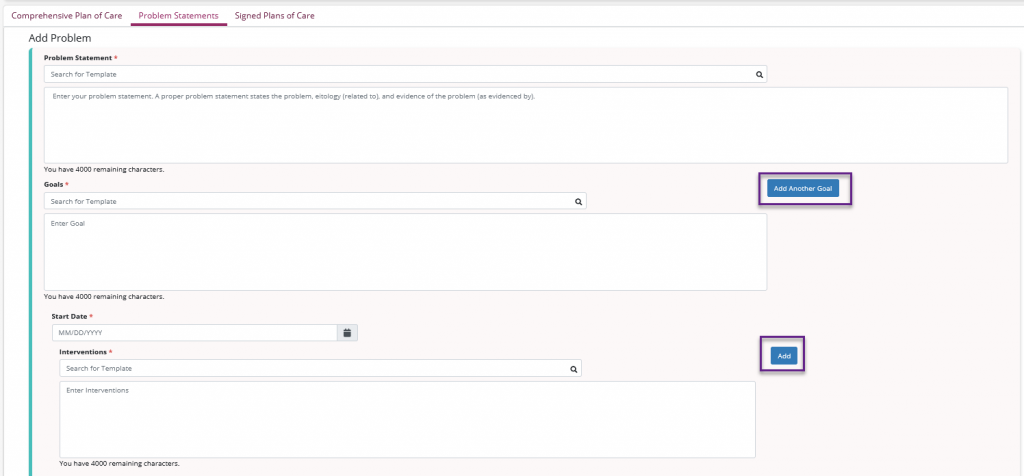
From this screen a custom problem statement can be added. Each problem statement must have a corresponding goal and start date. Each goal must also have an intervention associated with it. Additional goals and interventions can be added using the Add Another Goal and Add buttons.
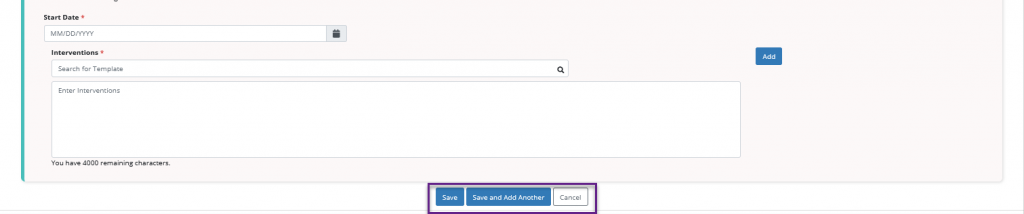
Once all information is added, select Save or Save and Add Another.
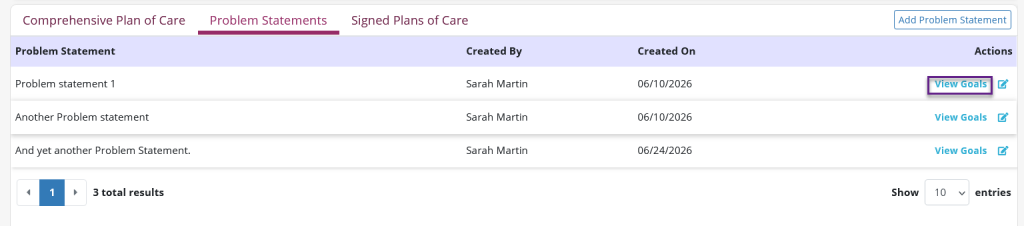
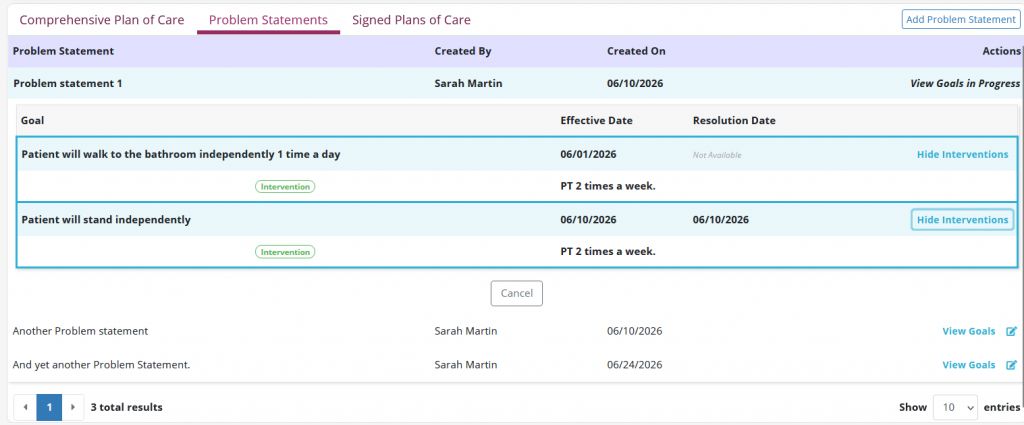
When saved, the custom statement will appear in the Problem Statements table. Select View Goals under the Actions column to view the associated goals.
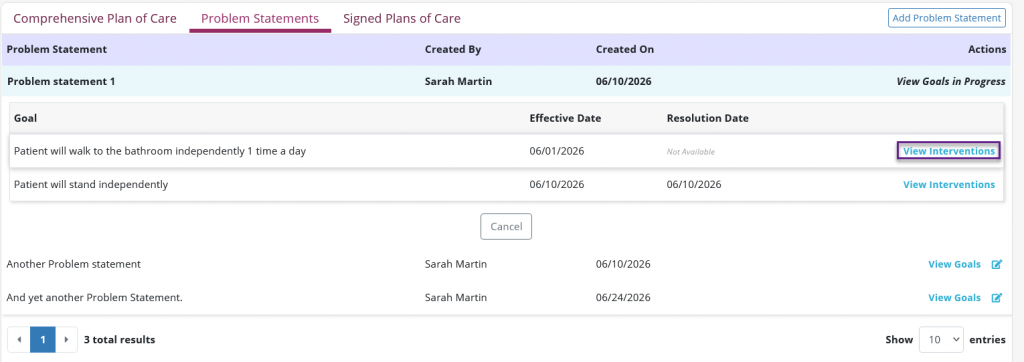
On the Goal screen, select View interventions under the Actions column to view any associated interventions.
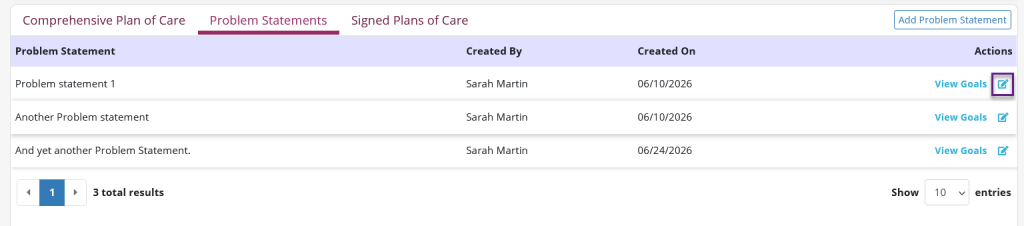
To edit problem statements, select the edit icon under the Actions column.
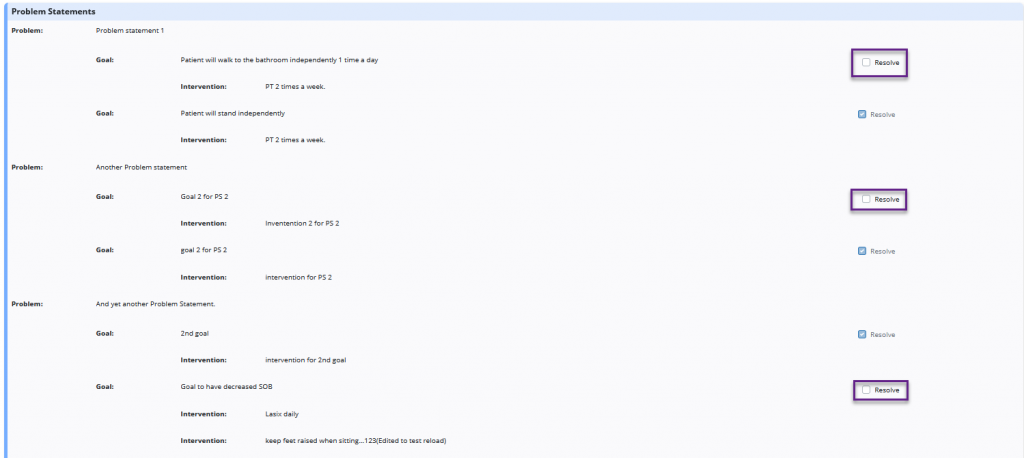
Problem statements will flow into all tasks. To view the statements, select the View Problem Statements button.

Once selected, the tile will display all problem statements, goals and interventions. Here any goals can be resolved.
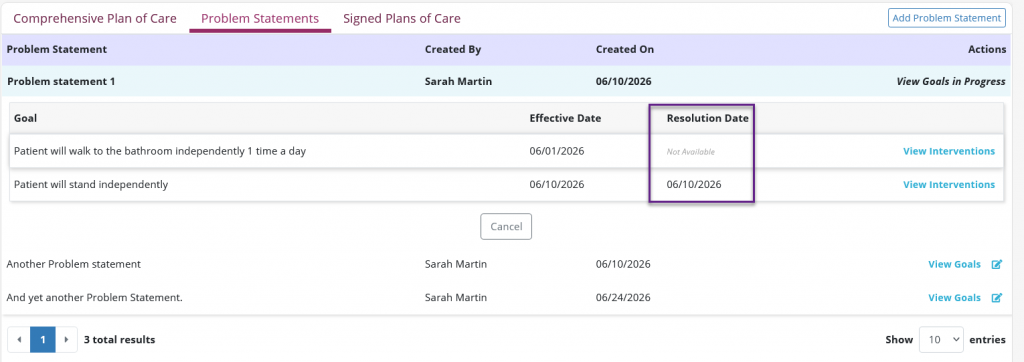
When a goal is resolved the visit date will populate in the Problem Statements table.
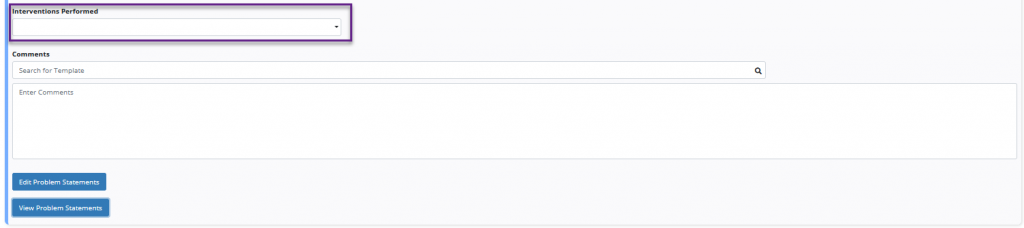
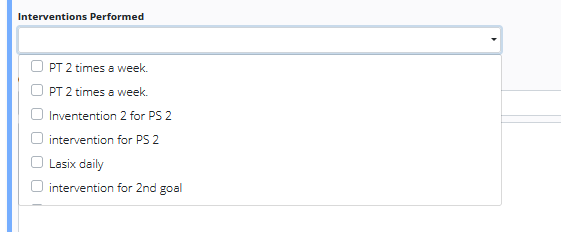
Interventions can be documented by selecting from the Interventions Performed drop-down menu. Users can leave any comments using the free-text Comments box.
Updated on 7/16/2026