The following functionality is coming soon to Axxess Palliative Care. Axxess will alert you when this feature is available. Check your messages in Axxess Palliative Care for important alerts from Axxess.
Axxess Palliative Care now enables users to revert items in the Payroll Center from Exported/Paid status to Approved/Pending Export status, supporting correction and reprocessing when exports occur in error.
To revert paid items back to pending, users must have permission to access the Payroll Center in Axxess Hospice, and it must be enabled for the organization in Company Setup.
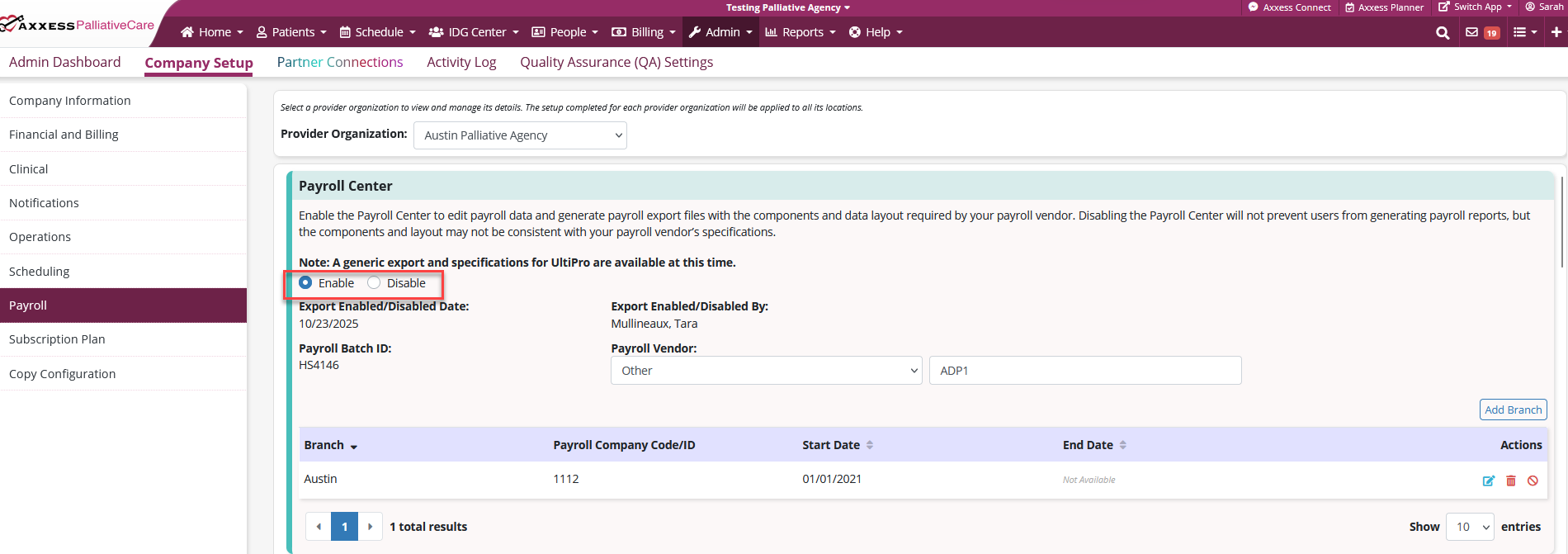
To enable the Payroll Center, navigate to Company Setup under the Admin tab and select the Payroll tab. In the Payroll Center section, select Enable.
Admin tab ➜ Company Setup ➜ Payroll tab ➜ Payroll Center section ➜ Enable
For additional information on the Payroll Center, click here.
To give a user permission to access the Payroll Center, edit the user’s profile and navigate to the Permissions tab. In the Admin section, select the box to the left of Company Payroll. Click Save to finish granting the permissions to the user.
People tab ➜ People Center ➜ Edit Profile ➜ Permissions ➜ Admin ➜ Company Payroll ➜ Save

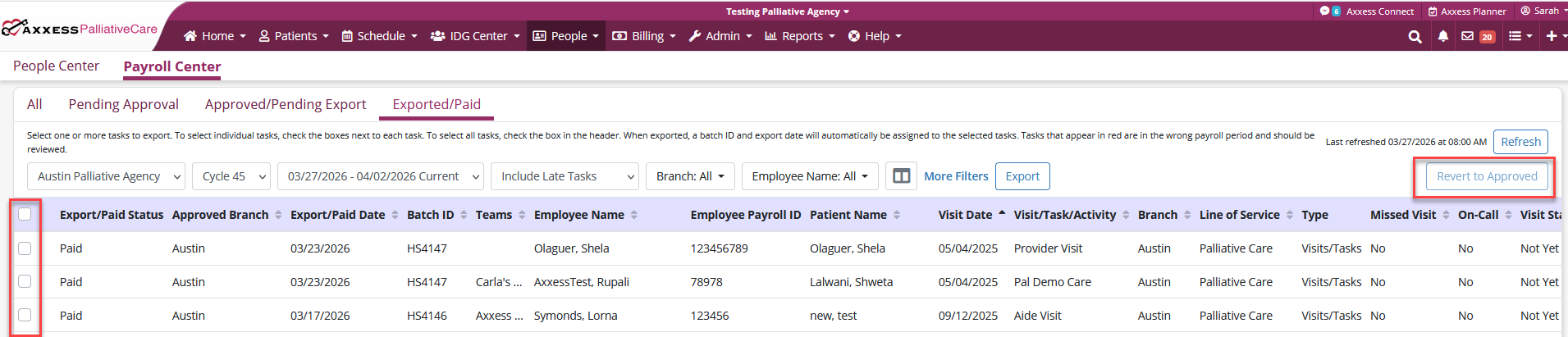
To revert a paid item back to pending, navigate to the Payroll Center under the People tab. Navigate to the Exported/Paid tab, select the boxes to the left of the items that need reverting and click the Revert to Approved button.
People tab ➜ Payroll Center ➜ Exported/Paid tab ➜ Select items ➜ Revert to Approved button
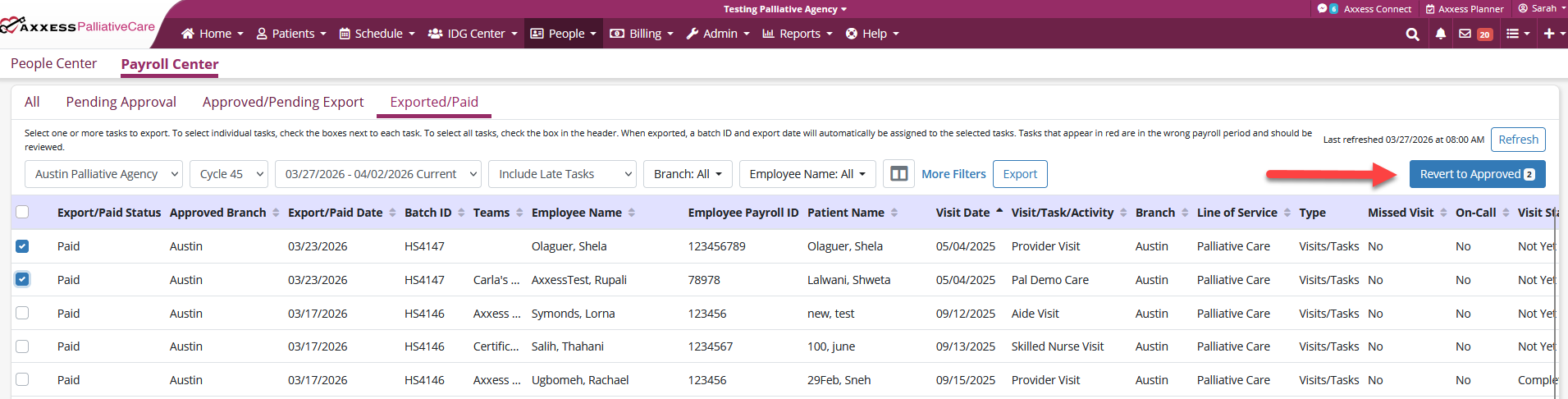
Once clicked, you will see a green success message indicating that your items have been reverted to Approved status.

