Axxess Palliative Care now enables users to selectively open closed accounting for a defined date range. By enabling closed accounting to be opened only for a designated period, this enhancement streamlines operations and reduces the likelihood of unintended changes outside the specified date range.
To open a specified date range within closed accounting, users with permission to view and edit Company Setup must navigate to closed accounting within Company Setup.
To access closed accounting, navigate to the Admin tab and select Company Setup from the drop-down menu. On the Financial and Billing tab, navigate to the Closed Accounting section.
Admin tab ➜ Company Setup ➜ Financial and Billing tab ➜ Closed Accounting section
In the Accounting Close Frequency field, designate a close frequency from the drop-down menu. The frequency can be weekly or monthly.
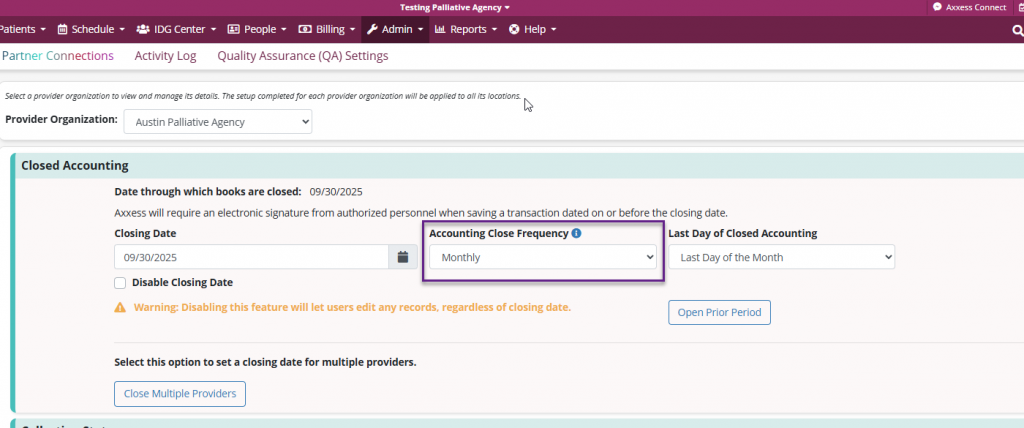
Once selected, navigate to the Last Day of Closed Accounting field.
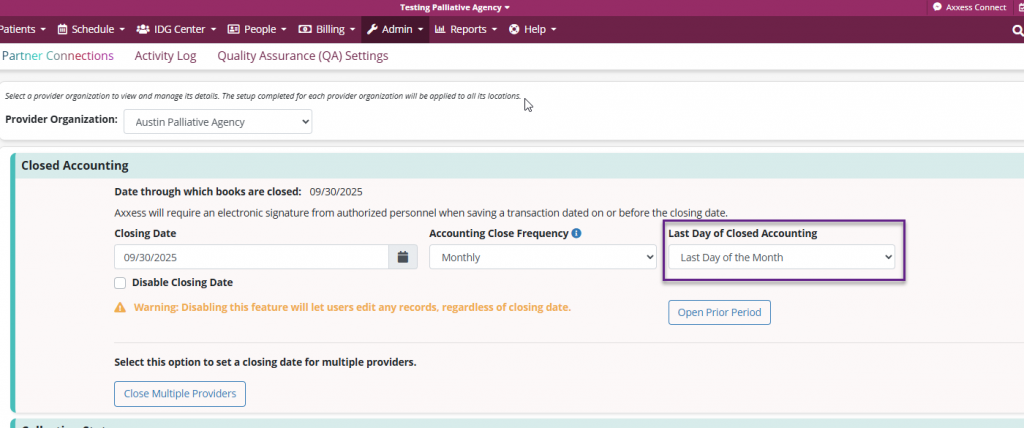
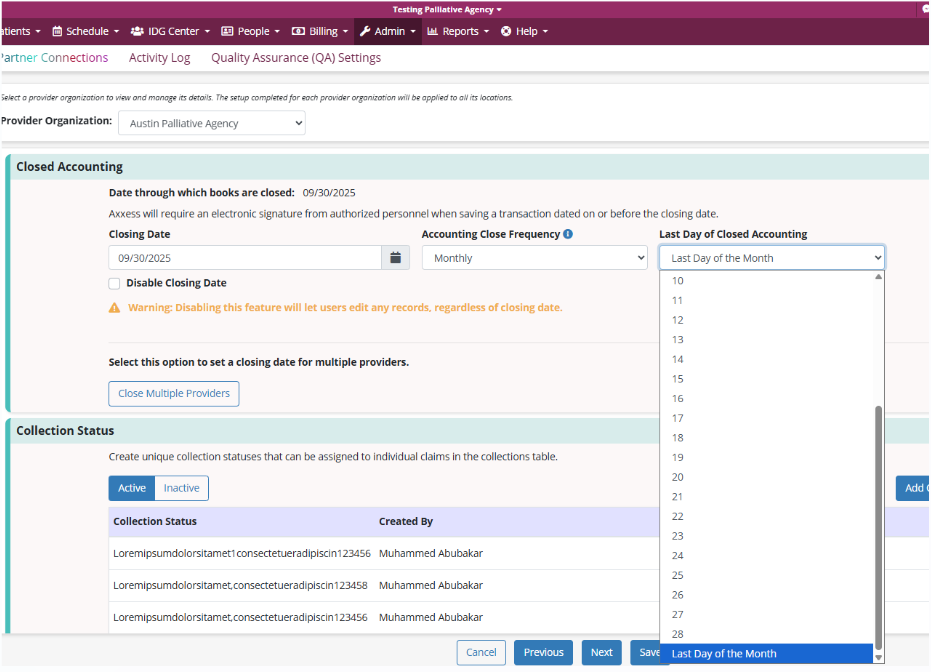
If a monthly frequency was selected, the user will be prompted to select a specific date or Last Day of the Month.
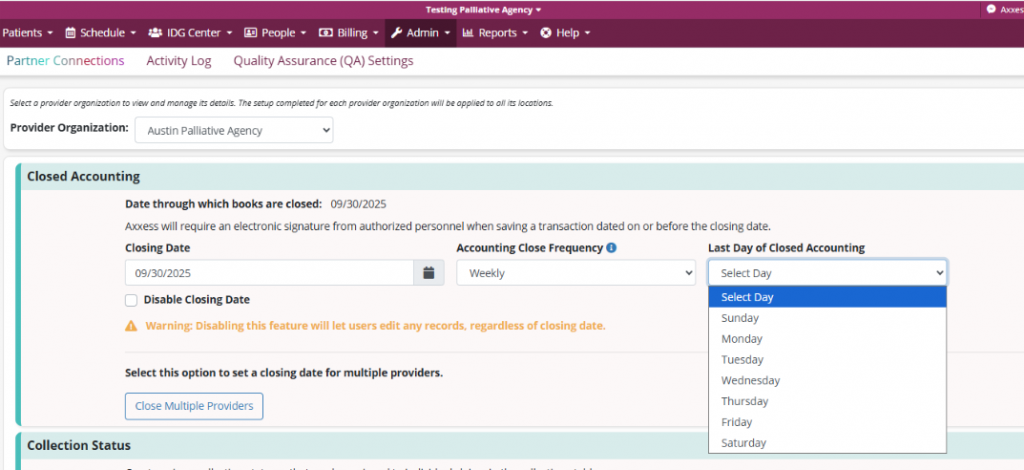
If a weekly frequency was selected, the user will be prompted to select a day of the week.
Once a close frequency and last day of closed accounting date are established, the Open Prior Period button will be displayed.
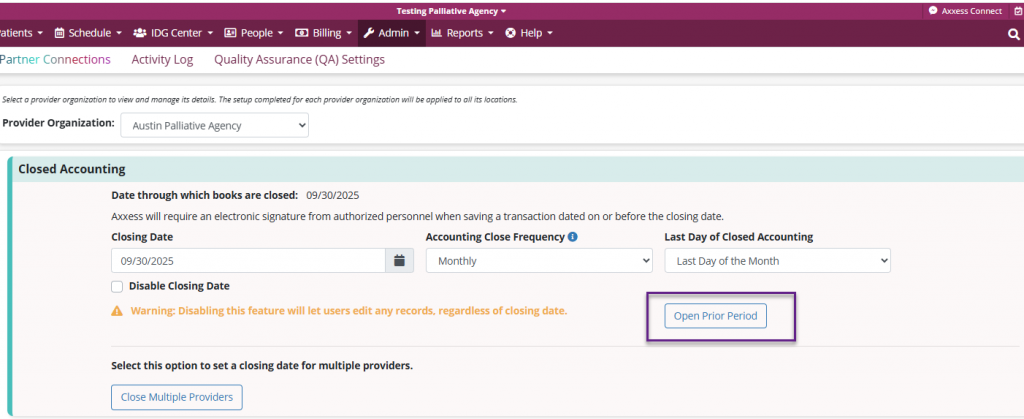
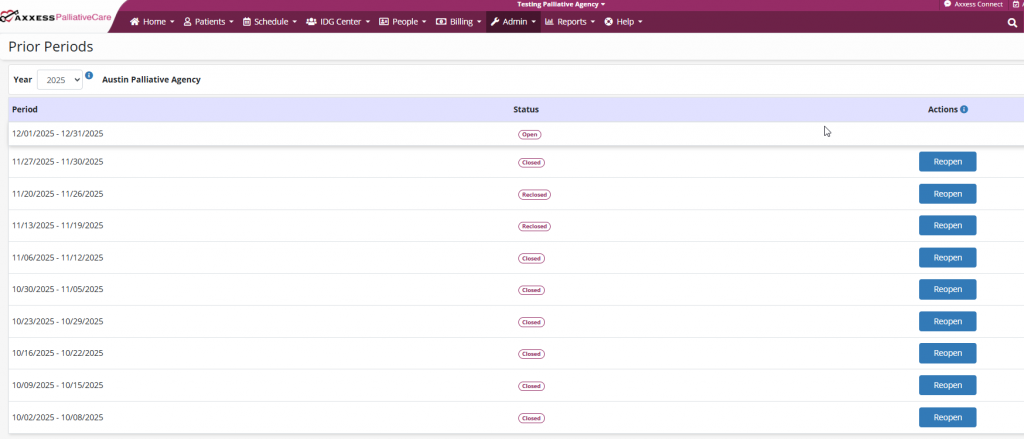
When the Open Prior Period button is selected, the Prior Periods screen will be displayed, detailing a list of prior periods for the current year.
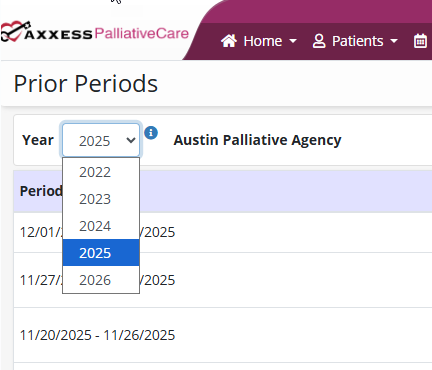
Navigate to the Year filter at the top of the screen to filter closed periods by year. If no previously closed periods are available for a given year, that year will not display in the drop-down menu.
The screen also features Period, Status and Actions columns.
The Period column displays the monthly or weekly date periods that are currently open or closed. It will only display periods for the specified year and no future periods will populate.
The Status column indicates whether or not a period is Open, Closed, Reopened or Reclosed.
Open: The period has never been closed.
Closed: The period has been closed and never reopened.
Reopened: The period was previously closed but has been reopened and is currently open.
Reclosed: The period was previously reopened but has been closed again.
The Actions column will be blank for open periods. If a period is in a Closed or Reclosed status, the Reopen button will be visible. When selected, the status will tentatively change to Reopened and a Save and Cancel option will be displayed.
Select Save to reopen the period and make changes to claims or remittances without the need of an override. When reopened, status of the selected period will be displayed as Reopened and the action button will display as Reclosed. Any claims or remittance changes to periods in a Closed or Reclosed status will require an override. Please also note, reopened periods will be automatically reclosed in eight hours to prevent unintentional changes.
Updated on 1/14/2026
