Axxess Palliative Care now identifies hierarchical condition category (HCC) designations directly within the diagnosis list, enabling providers to review which ICD-10 codes carry HCC weight from Medicare. These codes are also now included in the new HCC Codes Per Visit report, enabling providers to view and monitor HCC usage. By providing users visibility into which ICD-10 codes are designated as HCC, this enhancement streamlines operations.
To view HCC-designated ICD-10 codes, users must have permission to view and edit the patient chart and tasks, as well as view clinical reports in Axxess Palliative Care.
To give a user permission to view and edit the patient chart and tasks, edit the user’s profile and navigate to the Permissions tab. In the Clinical section, select View and Edit next to the Patient Chart permission. Then select View and Edit next to the Tasks permission. Next, navigate to the Reports section and select View next to the Clinical Reports permission. Click Save to finish granting the permissions to the user.
People tab ➜ People Center ➜ Edit ➜ Permissions tab ➜ Clinical section ➜ Patient Chart ➜ View/Edit ➜ Tasks ➜ View/Edit ➜ Reports section ➜ Clinical Reports ➜ View ➜ Save



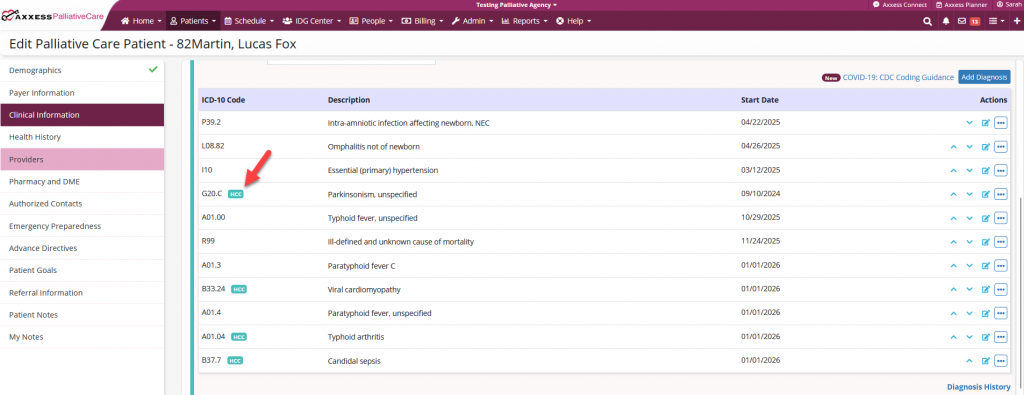
To view the HCC designation in the diagnosis list, navigate to the desired patient’s chart and select Edit Profile. On the Clinical Information tab, navigate to the diagnosis list. Here, the HCC pill will be present on all applicable diagnoses.
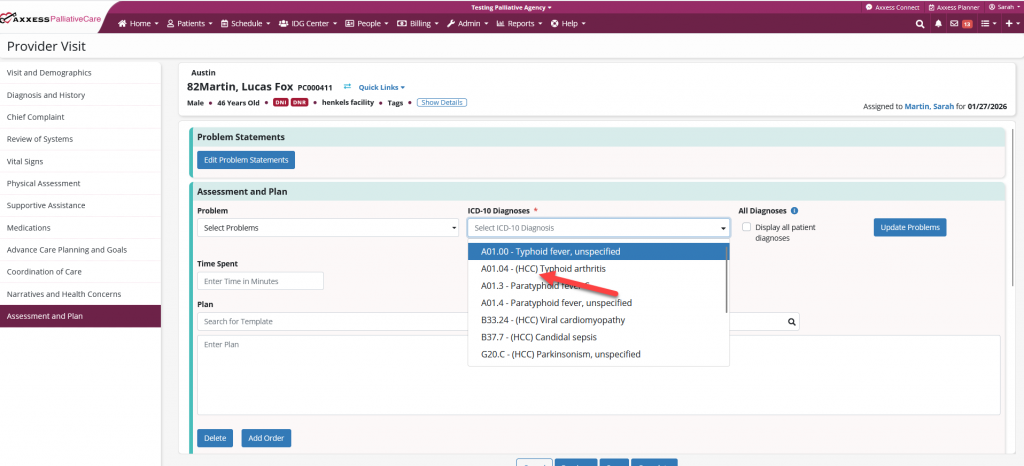
The designation can also be viewed in the Provider Visit note. When in the note, select the Assessment and Plan tab and navigate to the Assessment and Plan tile. Select from the ICD-10 Diagnoses drop-down list to view diagnoses with the HCC designation.
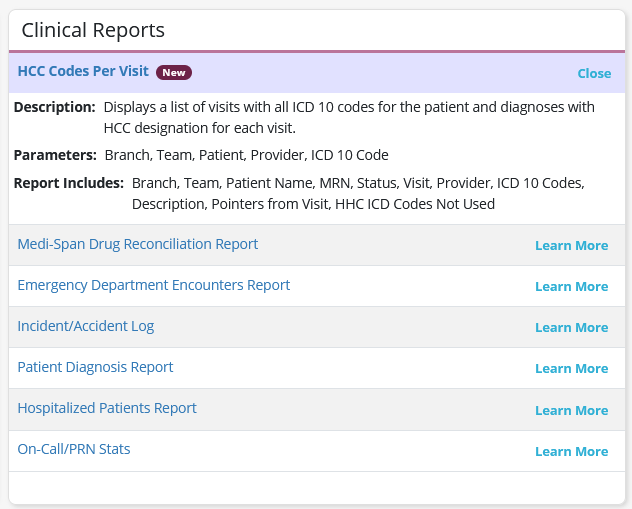
To access the new HCC Codes Per Visit report, navigate to the Report Center under the Reports tab. In the Clinical Reports section, select HCC Codes Per Visit report.
Reports tab ➜ Report Center ➜ Clinical Reports ➜ HCC Codes Per Visit
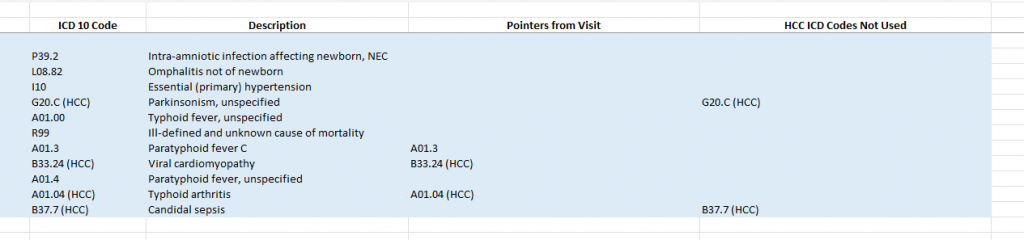
When a visit is completed, the visit will appear as a line item on the HCC Codes Per Visit report. This report reflects completed visits and displays all ICD‑10 codes present on the patient chart, including their descriptions, which diagnoses were selected for the visit, and which HCC diagnoses were not used. This visibility helps organizations monitor and manage HCC designation usage more effectively.
Updated on 2/11/2026
