Axxess Palliative Care has improved its allergy notifications to provide more meaningful alerts when a medication order may conflict with a documented allergy. This enhancement streamlines documentation practices and facilitates compliance by further minimizing the risk of ordering a medication that has an allergy associated with it.
To access the allergy alert updates, users must have permission to view, add and edit the medication profile and allergies in Axxess Palliative Care.
To give a user permission to view, add and edit the medication profile and allergies, edit the user’s profile and navigate to the Permissions tab. In the Clinical section, select View, Add and Edit next to the Medication Profile permission. Then select View, Add and Edit next to the Allergies permission. Click Save to finish granting the permissions to the user.
People tab ➜ People Center ➜ Edit ➜ Permissions tab ➜ Clinical section ➜ Medication Profile ➜ View/Add/Edit ➜ Allergies ➜ View/Add/Edit ➜ Save

To access the updated allergy alerts, navigate to the Patients tab and select Allergy from the drop-down menu. On the Allergy screen, all previously entered allergies will now be labeled as Custom allergies. Users must manually re‑enter each allergy so it appears as a Default allergy, which enables the system to trigger the appropriate alerts.
To re‑enter allergies, users can either select Deactivate to remove the existing entry and then choose Add Allergy at the top of the table to re‑add it, or edit each existing allergy by selecting Edit under the Actions column.
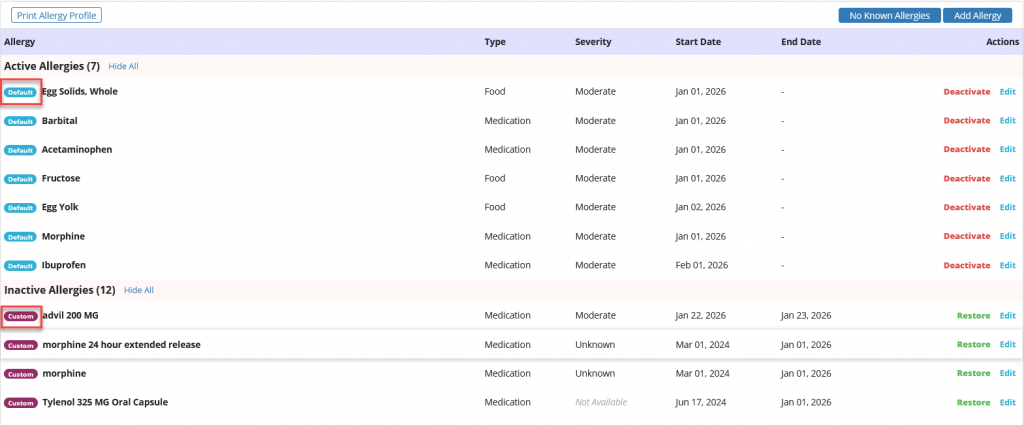
When the allergy is re-entered or a new allergy is added, the solution will automatically review the medication list for any potential interactions and alert the user so they can notify the prescribing provider. A notification will also appear in the top left corner, alerting the user to how many medications have potential reactions and indicating the severity of each.
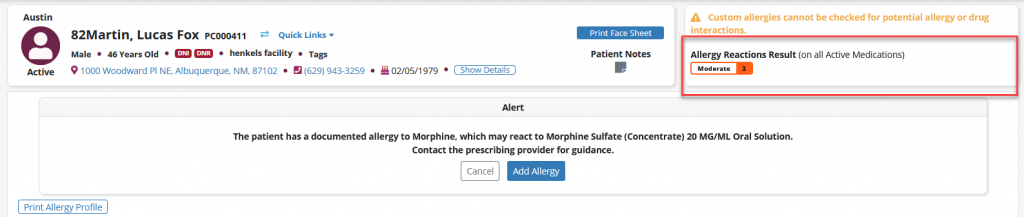
If a medication is added that a patient is allergic to, a similar alert will be displayed before the user can proceed.
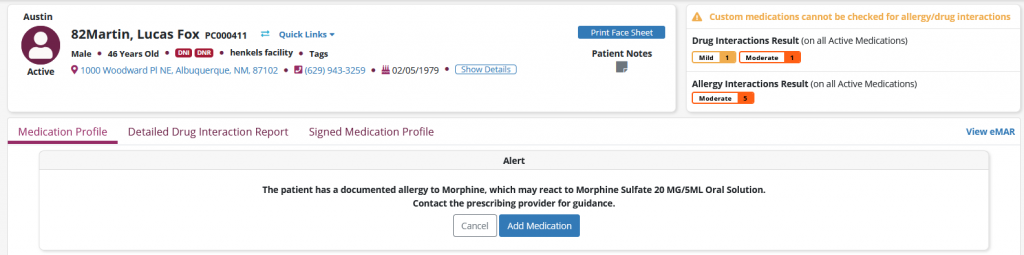
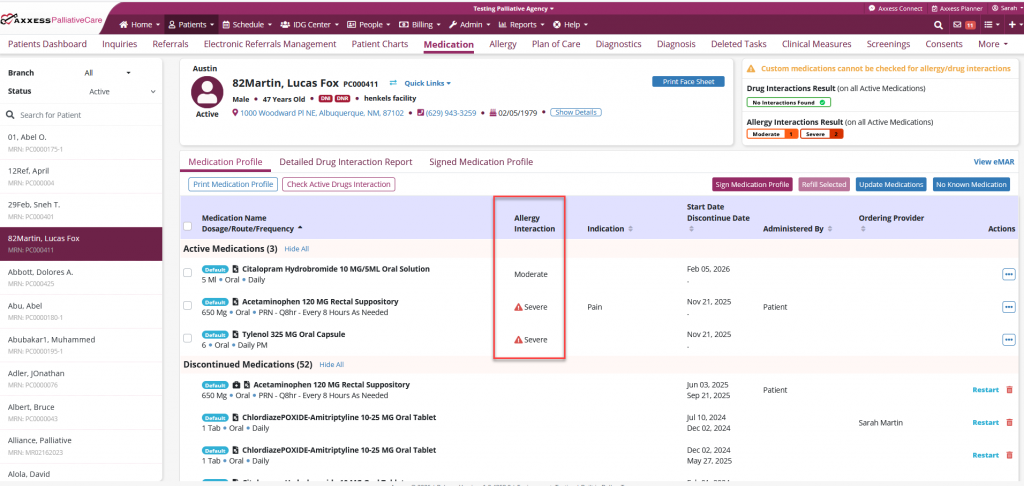
On the Medication Profile screen, reaction severities will also be displayed in the Allergy Interaction column.
Updated on 2/11/2026
