Axxess Central enables users to efficiently reassign scheduled patient visits from one user to another, ensuring proper workload distribution and timely patient care. This feature enhances scheduling flexibility by enabling users to reassign visits directly from the Employee or Patient Calendars.
To reassign a patient visit in Axxess Central, navigate to the Schedule Center tab and select Employee Calendar or Patient Calendar.
Schedule Center tab ➜ Employee Calendar or Patient Calendar


Using the filters at the top of screen, select the desired tasks or visits to be reassigned. Only tasks with a status of Not Yet Due or Not Yet Started can be reassigned.
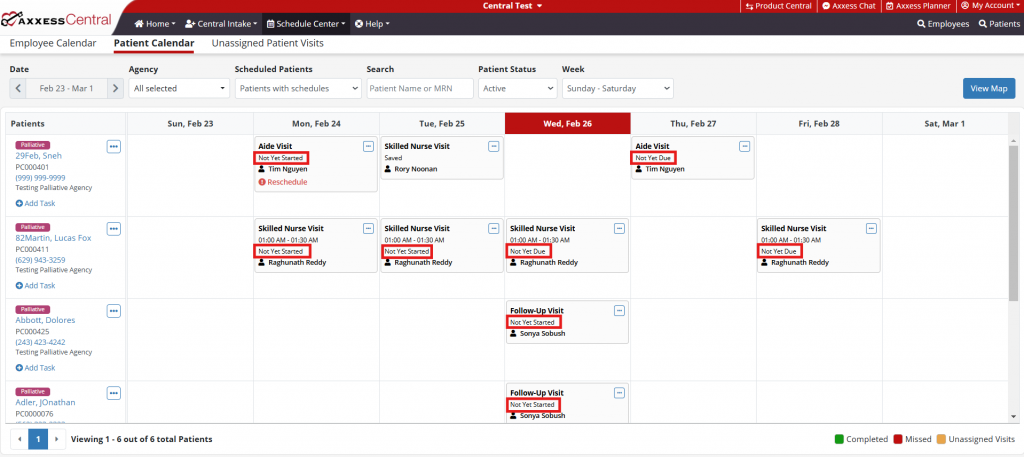
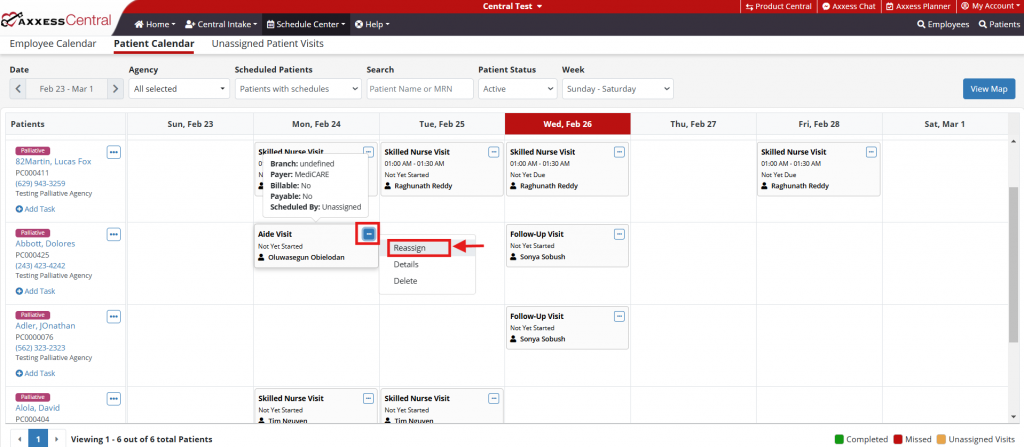
Once the desired task has been selected, click the ellipses icon in the upper right-hand corner of the task. Select Reassign from the drop-down menu.
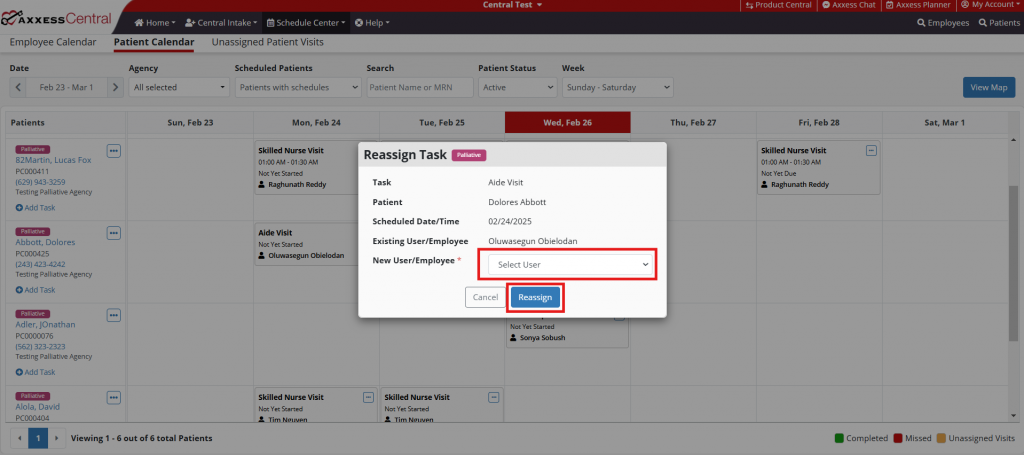
On the Reassign Task window, select a new user to reassign the task to. Click Reassign to reassign the task.
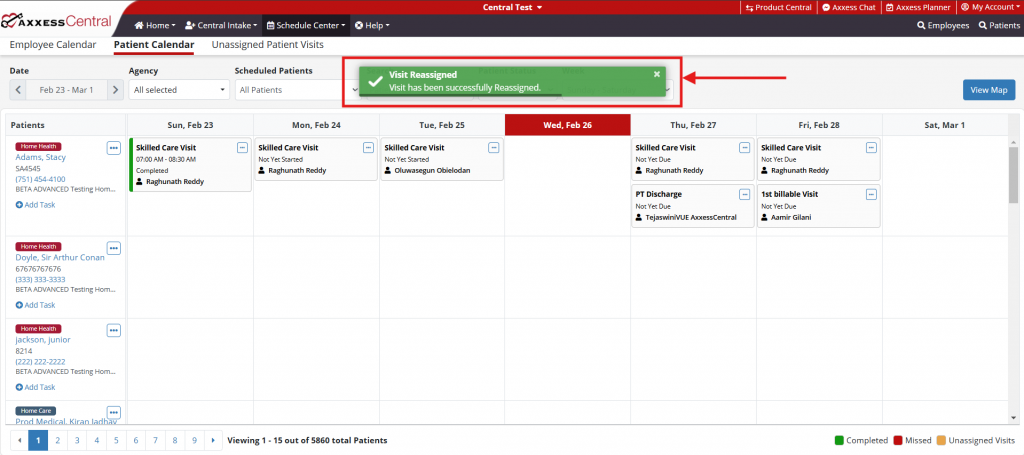
A green confirmation message will display when the task has been successfully reassigned.
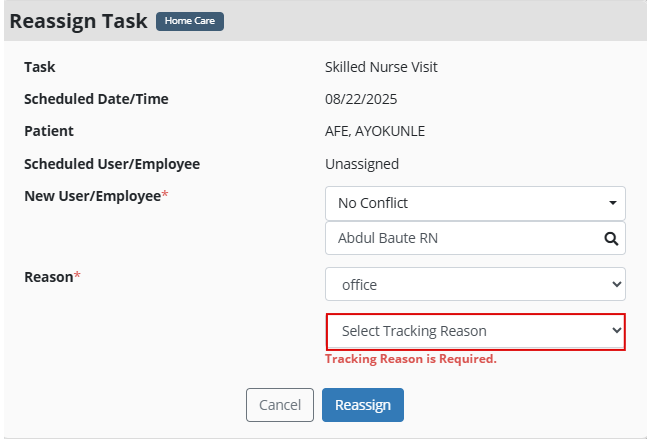
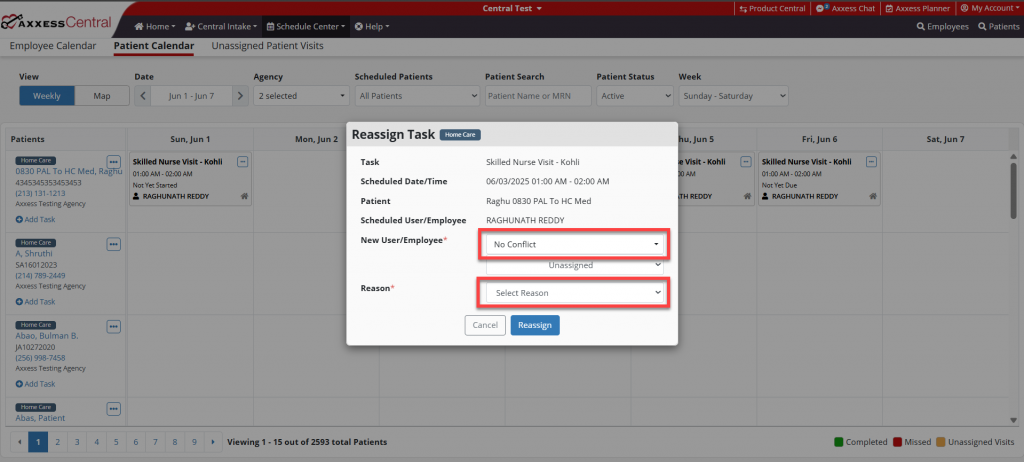
The home care reassignment window contains additional fields not present for other service lines. These include a conflict check and reason filter.
When selecting a new user or employee, the user must select a conflict indicator based on their availability. Users can select:
No Conflict: User is fully available during the scheduled time.
Partial Conflict: User is available for part of the visit or is assigned to a task with no scheduled time.
Full Conflict: User is already assigned to another visit during the entire new visit duration.
A reassignment reason must also be specified. Using the Reason filter, users can select:
Employee: Employee is unavailable.
Client: Client requested a different provider.
Office: Administrative or operational scheduling change.
Once a reason has been specified, users must also select a Tracking Reason to provide more detail on the reassignment.